
GDPR Employee Monitoring Checklist: 8 Steps and 17 Checks (2026)
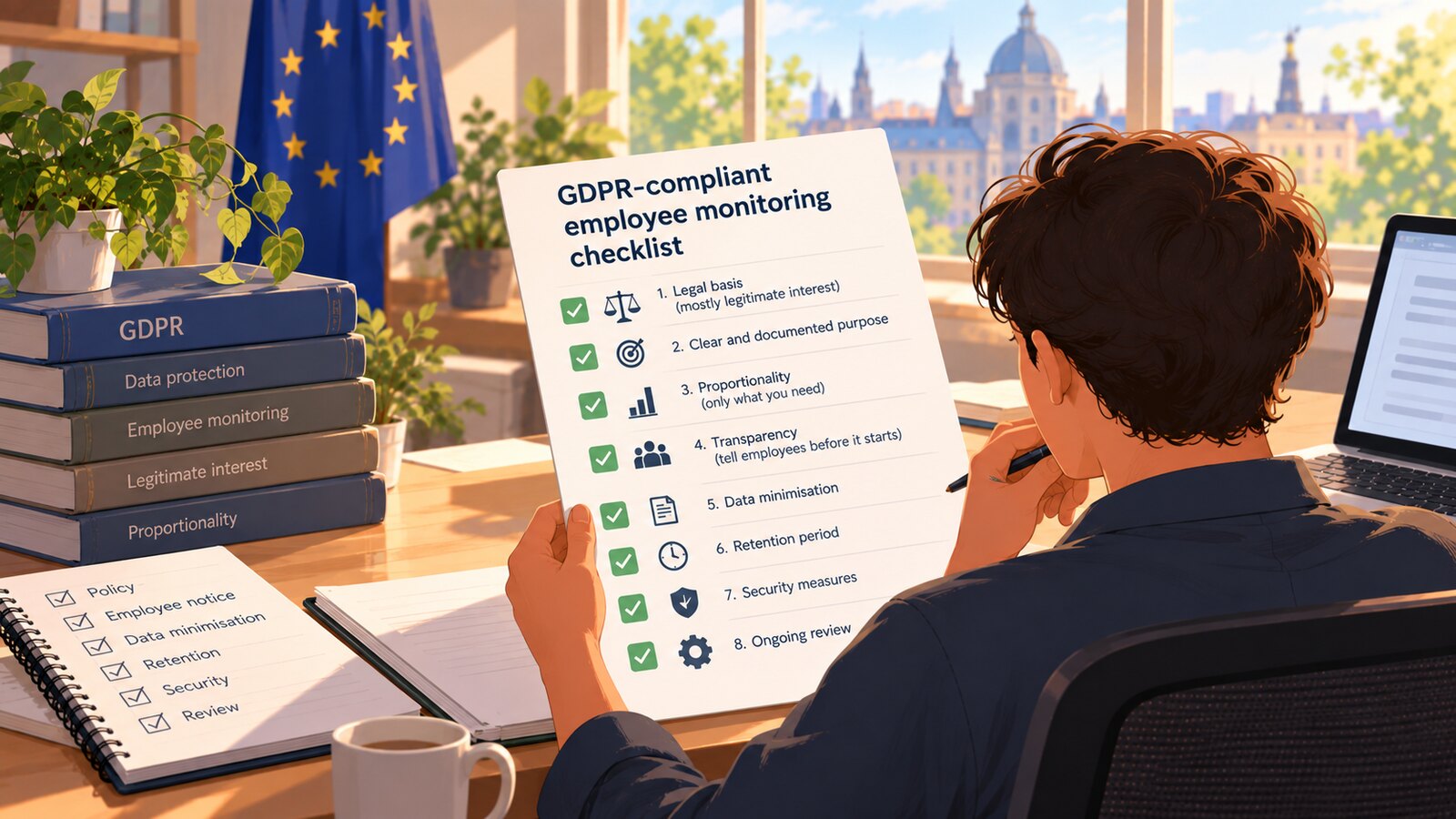
Employee monitoring can be GDPR-compliant, but only if it is built on the correct legal basis, kept proportionate to a documented purpose, and disclosed to employees before it starts. For routine monitoring such as time tracking or work screenshots, that legal basis is almost always legitimate interest rather than consent, because European regulators consider employee consent invalid in most workplace situations due to the imbalance of power. This practical checklist covers the eight decisions that determine whether your monitoring programme holds up: the legitimate interest assessment, the proportionality test, transparency notices, DPIA triggers, retention limits, employee rights, the special rules for biometric data, and national-law variations.
The GDPR does not ban workplace monitoring. What it bans is monitoring that is undocumented, excessive, or hidden. Regulators across the EU and the UK apply the same core logic: a legitimate purpose, the least intrusive method that achieves it, and honest communication with the people being monitored. Work through the sections below in order — each one maps to a question a supervisory authority would ask if an employee ever complained.
1. Choose the right legal basis — and understand why consent usually fails
Every processing of personal data needs one of the six legal bases in Article 6 GDPR. Here is the part most employers get wrong: for routine monitoring, employee consent is usually not a valid basis. The Article 29 Working Party — the predecessor of the European Data Protection Board — stated in its Opinion 2/2017 on data processing at work that employees are almost never in a position to give freely given consent, because refusing could carry real or perceived consequences for their job. A consent form signed on day one of employment is worth very little if a dispute reaches a regulator.
The workable basis for most monitoring is legitimate interest under Article 6(1)(f). It requires a documented legitimate interest assessment (LIA) with three parts: identify the interest (verifying billable time, securing company systems, preventing fraud), show the monitoring is genuinely necessary for that interest, and balance it against employees' privacy rights. Write this assessment down before you switch anything on — it is the document that anchors everything else in this checklist.
Consent is not useless, though. It works for features that are genuinely optional, where saying no costs the employee nothing. SCREENish applies this split in its own product: standard time tracking runs on the employer's documented policy, while sensitive add-ons like face recognition are locked behind an explicit consent request that the employee can simply decline and keep working normally.
2. Run the proportionality test
 Learn how SCREENish saves you money
Time tracking with screenshots, honest reports and hands-off payroll. Free to try — no credit card.
Start free →
Learn how SCREENish saves you money
Time tracking with screenshots, honest reports and hands-off payroll. Free to try — no credit card.
Start free →
Necessity under GDPR means the least intrusive method that achieves the purpose. Before deploying any tool, ask: could a lighter measure work? Periodic screenshots instead of continuous screen video? Activity presence instead of keystroke logging? Monitoring during tracked work sessions only, instead of whole-device surveillance?
Regulators have repeatedly found continuous webcam feeds, covert tracking, and content-level keylogging disproportionate for ordinary productivity purposes. Product design choices matter here. SCREENish, for example, computes activity levels purely from whether keyboard or mouse input occurred — it never records what was typed or clicked, and it does not log browsing history or the list of programs in use. Screenshots are taken at random moments within each ten-minute interval rather than as a constant stream. Those are exactly the kinds of design limits a proportionality assessment should look for, whatever tool you choose.
Covert monitoring deserves a special warning: it is lawful only in exceptional cases, such as a specific, documented suspicion of serious wrongdoing, and even then only for a limited time and scope. It is never a default.
3. Be transparent: notices employees can actually read
Articles 13 and 14 GDPR require you to inform employees before monitoring begins. The UK Information Commissioner's Office is blunt about the standard in its guidance on monitoring workers: a generic "we may monitor your activity" clause buried in an employment contract is not enough. Your monitoring notice should state, in plain language:
- what data is collected (screenshots, activity levels, tracked hours, location, and so on),
- the purpose and the legal basis for each type,
- how long each type is kept,
- who can access it, including any processors or software vendors,
- the rights employees have and how to exercise them, plus your DPO's contact details if you have one.
Transparency is also operational, not just legal. A monitoring tool that runs visibly, and lets employees see the same screenshots and activity data their manager sees, makes the notice credible. If you want a concrete reference for what a screenshot-based tracker collects and shows, the SCREENish how-it-works guide documents the full data flow from the desktop app to the work log.
4. Know when a DPIA is mandatory — for monitoring, that is almost always
Article 35 GDPR requires a data protection impact assessment whenever processing is likely to result in high risk, and it explicitly names systematic monitoring as a trigger. EU guidance adds that employees count as vulnerable data subjects because of the power imbalance — and meeting two high-risk criteria is generally enough to make a DPIA mandatory. Practical translation: if you monitor employees systematically, plan on doing a DPIA, not on arguing you were exempt.
A workable DPIA describes the processing, tests necessity and proportionality (your LIA feeds straight into this), identifies risks to employees, and records the mitigations you chose — shorter retention, access restrictions, human review of automated flags. Involve your DPO, and consult employee representatives where practicable. If high residual risk remains after mitigation, Article 36 requires consulting your supervisory authority before you start.
5. Minimize the data and put a date on deletion
Data minimization and storage limitation are core GDPR principles: collect only what the purpose needs, and delete it on a schedule you can defend. Ask each vendor two questions — what do you not collect? and when is data deleted? — and be suspicious of vague answers.
Concrete numbers help. SCREENish stores work screenshots for 45 days and then deletes them; not-yet-uploaded data sits encrypted on the employee's own machine and is purged automatically. Forty-five days is long enough to resolve a payroll or invoicing dispute, which is the purpose of the screenshots — keeping them for years would serve no purpose the LIA could justify. Whatever retention period you set, write it into the privacy notice, apply it consistently, and restrict who can view raw monitoring data to managers who actually need it.
6. Be ready to honor employee rights
Monitored employees keep every GDPR right. In practice, four come up most:
Access (Article 15): an employee can request a copy of their monitoring data, and you have one month to respond. Objection (Article 21): where you rely on legitimate interest, an employee can object, and you must stop unless you can demonstrate compelling legitimate grounds. Erasure (Article 17): applies once data is no longer necessary — a short retention window makes these requests largely self-executing. Protection from purely automated decisions (Article 22): no significant decision — discipline, rejected hours, termination — should be made by an algorithm alone.
That last right is worth engineering into the workflow. In SCREENish, when the system flags a suspicious activity pattern, the flag goes into an Activity Review queue for a human to examine; no time is rejected and nobody is penalised automatically. A flag is a prompt for a conversation, not a verdict — that is what Article 22 compliance looks like in daily use.
7. Biometrics are different: special-category data needs explicit consent
Everything above changes when monitoring touches special-category data. Under Article 9 GDPR, biometric data used to uniquely identify a person — face recognition templates, fingerprints — is prohibited by default. Legitimate interest is not available here. The realistic gateway in employment is explicit consent under Article 9(2)(a), and this is the one monitoring scenario where consent can genuinely work: it must be a real choice, refusal must carry no penalty, and withdrawal must be as easy as agreeing. Some member states restrict workplace biometrics even further, so check national law before deploying.
This is why SCREENish built its face recognition feature as consent-first: the employer sends a consent request, nothing runs until the employee accepts from their own account, every response is timestamped into an audit trail, consent is scoped per employer, and the employee can withdraw it at any time from their own settings — verification stops immediately. If you are considering identity verification for remote teams, the remote employee identity verification overview explains where biometric checks are proportionate and where simpler measures suffice.
8. Check local law: the GDPR is the floor, not the ceiling
Article 88 GDPR lets member states set additional rules for employee data, and several have. In Germany, works councils have co-determination rights over technical systems capable of monitoring performance — meaning a works-council agreement is typically required before rollout, on top of the federal data protection act's employment provisions. In France, the CNIL expects consultation of the works council (CSE) and individual notification, and treats permanent, continuous surveillance of an employee's screen as disproportionate in ordinary circumstances. Other countries add their own wrinkles. If your team spans several EU countries, verify the rules in each one — the strictest applicable regime effectively sets your baseline.
The checklist
- Define the specific purpose of monitoring and write a legitimate interest assessment (LIA) before enabling anything.
- Do not rely on employee consent for routine monitoring — reserve consent for genuinely optional features.
- Choose the least intrusive tool: input-presence activity levels over keyloggers, periodic screenshots over continuous video, tracked-session scope over whole-device surveillance.
- Complete a DPIA covering risks, mitigations, and residual risk; involve your DPO.
- Publish a specific monitoring notice: data types, purposes, legal bases, retention, access, rights.
- Set a defined retention period (SCREENish's default for screenshots is 45 days) and delete on schedule.
- Restrict access to monitoring data to managers with a need to know.
- Route automated flags through human review; never sanction on algorithm output alone.
- Build a process for access, objection, and erasure requests with a one-month response clock.
- For biometrics such as face recognition: obtain explicit, withdrawable, per-purpose consent with an audit trail — and verify national law allows it.
- Consult works councils or employee representatives where required (Germany, France, and others).
- Review the whole programme yearly, and re-run the DPIA whenever you expand what you monitor.
This article is general information about GDPR obligations, not legal advice. Monitoring rules vary by country and by circumstance — consult a qualified data protection lawyer before implementing or changing an employee monitoring programme.