
How to Tell If Activity Is Real: What the OS Flags as Fake Input (and What It Can't)
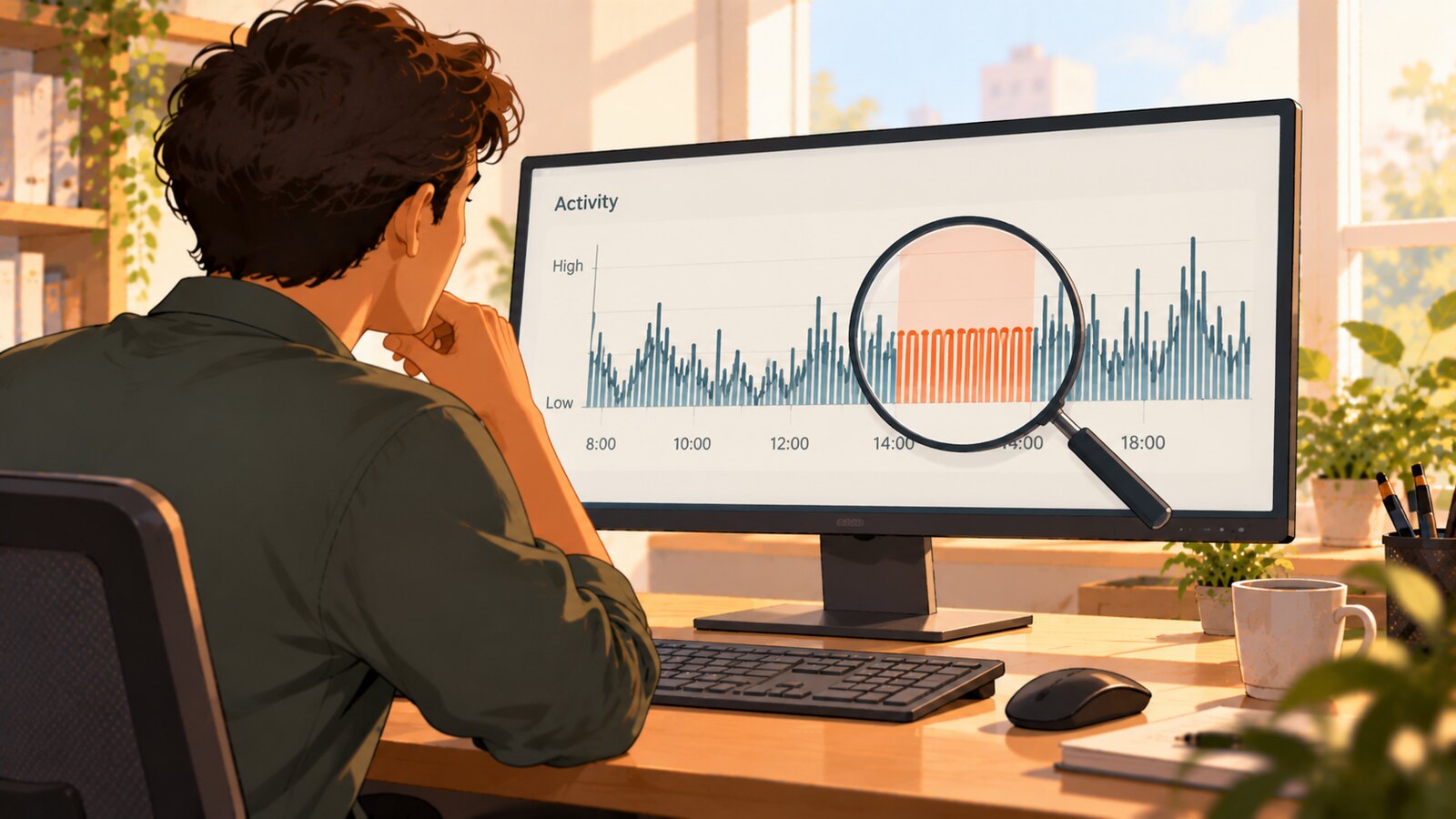
On Windows, the operating system reports with certainty when a mouse click or keystroke was synthesized by software rather than produced by a physical device: the kernel sets an injected-input flag the injecting process cannot remove. macOS gives you a weaker version of the same thing — events carry a source state, but that state is declared by whoever posts the event. Between them those cover the ordinary auto-clickers, auto-typers, and automation scripts. Neither covers hardware USB jigglers, which enumerate as an ordinary mouse, and neither covers input manufactured by a kernel-mode driver, which the flag never sees at all. Knowing which category you are looking at is the difference between an accusation you can defend and a guess.
Most vendor pages on this topic assert detection and stop. You are told the software catches simulated activity, sometimes with a percentage attached, and never told what signal produced the verdict. That matters, because the signals are not equivalent. One of them is a bit set by the kernel and is essentially not arguable. The others are statistical inferences about human behavior, and inferences are wrong sometimes — including about people who are working perfectly honestly.
This article is a taxonomy: every common way of faking activity, what each one physically leaves behind, and what a monitoring tool can and cannot legitimately conclude from it.
What the operating system actually records about an input event
Start with the primitive, because everything else is built on it.
Windows: the injected-input flags
When an application installs a low-level mouse hook, each event arrives in an MSLLHOOKSTRUCT structure with a flags member. Microsoft's documentation for MSLLHOOKSTRUCT is unambiguous: "Testing LLMHF_INJECTED (bit 0) will tell you whether the event was injected. If it was, then testing LLMHF_LOWER_IL_INJECTED (bit 1) will tell you whether or not the event was injected from a process running at lower integrity level."
Keyboard events carry the same information. The KBDLLHOOKSTRUCT documentation defines LLKHF_INJECTED at bit 4 and LLKHF_LOWER_IL_INJECTED at bit 1, with the same meaning: bit 4 is set when the keystroke was injected from any process, and bit 1 additionally identifies injection from a lower integrity level.
Who sets those bits? Windows does, when a process synthesizes input through the documented API. SendInput "synthesizes keystrokes, mouse motions, and button clicks" and "inserts the events in the INPUT structures serially into the keyboard or mouse input stream." The same page notes that SendInput is subject to UIPI — "applications are permitted to inject input only into applications that are at an equal or lesser integrity level" — which is exactly why the lower-integrity variant of the flag exists and is worth reading separately.
The important property here is that this is not a heuristic. The flag is not a guess about whether movement looked human. It is the kernel reporting where an event entered the input stream. A tool that reads it is not inferring anything.
macOS: event source state
macOS approaches the same problem differently, and the difference matters more than most write-ups admit. Quartz events carry a source, described by CGEventSource, and the source is identified by one of the values in CGEventSourceStateID — including a HID system state that corresponds to hardware input, a combined session state, and a private state used by processes that synthesize their own events. A tool reading the event stream can read which of those a process declared.
Read that sentence carefully: declared. On Windows the kernel sets the injected flag and the injecting process has no say in it. On macOS the source state is chosen by whoever creates the event source. Apple's CoreGraphics header for CGEventSource.h declares CGEventSourceCreate(CGEventSourceStateID stateID) — a source "created with a specified source state" — and describes the HID system table as the one to use "if your program is a daemon or a user space device driver interpreting hardware state and generating events." That is a legitimate facility with legitimate users, and it also means a program that synthesizes input can create its source with the HID system state and post events that report as having come from hardware.
The practical consequence: on macOS the source state catches the ordinary auto-clickers, jiggler utilities, and scripts that never bother to set it, which is most of them. It does not stop a deliberate injector that does. So macOS sits between the two other cases in this article — stronger than pure behavioral inference, weaker than Windows' kernel-set flag, and not something to describe to a buyer as equivalent to Windows.
Linux and everything else
There is no single equivalent guarantee. Depending on the display server and the input path, a userspace tool may have no reliable way to distinguish a synthetic event from a hardware one. That is a real gap, and the honest way to record it is "the platform cannot report injection here" — which is emphatically not the same as "no injection occurred." Any product, ours included, that reports a clean result on a platform that structurally cannot answer the question is reporting the absence of evidence, not evidence of absence.
The taxonomy: what each faking method leaves behind
 Learn how SCREENish saves you money
Time tracking with screenshots, honest reports and hands-off payroll. Free to try — no credit card.
Start free →
Learn how SCREENish saves you money
Time tracking with screenshots, honest reports and hands-off payroll. Free to try — no credit card.
Start free →
| Method | How it produces input | What it leaves behind | What a reviewer can conclude |
|---|---|---|---|
| Auto-clicker / auto-typer app | User-mode API (SendInput or equivalent) | Injected-input flag set on every event | The OS reported this as injected* |
| AutoHotkey and similar scripts | User-mode injection API | Injected-input flag set; often a distinctive process | The OS reported this as injected* |
| Browser extension "activity keeper" | Synthetic DOM events, sometimes OS-level injection | Frequently no OS input at all — the desktop input stream stays idle | Desktop input was absent, which is itself informative |
| Hardware USB jiggler dongle | Enumerates as a HID mouse and reports real HID motion | Nothing in the input flags; a new USB device in the peripheral inventory | Inference only — never a verdict on its own |
| Analog trick (mouse on a watch, fan, phone) | Genuine optical sensor movement | Nothing anywhere in software | Inference only — never a verdict on its own |
| Kernel-mode virtual HID driver | Driver submits HID reports directly to the OS | Nothing — indistinguishable from a real device to user-mode clients | Nothing from input provenance; unknown, not clean |
| Remote control of the work machine | Input arrives through a remote-access stack | Remote session context, which has many legitimate causes | Context for a human, never a verdict |
* This holds on Windows, where the kernel sets the flag and the injecting process cannot suppress it. On macOS it is best-effort for the reason given above: the source state is declared by the poster, so it catches tools that do not set it and misses one that does. On Linux, treat the whole column as unavailable rather than clean.
1. Software jigglers, auto-clickers, and scripts — caught by mechanism, not by pattern
This is the largest category by volume and the least interesting technically. A free auto-clicker, a "keep me active" utility, a five-line AutoHotkey script that nudges the cursor on a timer — all of them reach the system through the documented user-mode injection path. On Windows the platform stamps every event they produce; on macOS they show up as synthesized because none of these tools take the extra step of claiming otherwise.
Nothing about the pattern needs to look robotic for this to work. A script can be made to look arbitrarily human. On a platform that reports injection, that does not matter: the effort changes the shape of the movement and not the fact of the flag. This is precisely why mechanism beats pattern analysis where mechanism is available — a behavioral model can be defeated by making the fake look more human, and a flag read cannot. Where mechanism is not available, as on Linux, you are left with the behavioral layer and should say so rather than pretend the stronger signal is there.
The corollary is uncomfortable for the field. When a vendor advertises detection of "simulated input" without saying whether it reads the OS flag, you cannot tell whether you are buying a kernel-reported fact or a clustering model. Insightful's June 2025 announcement of its Activity Verification feature says the feature is "designed to be able to ultimately detect simulated activity with 99% accuracy" — a forward-looking target rather than a measured result, which is worth reading precisely because the number is the part that travels. What the announcement does not give is any account of the underlying signal, and without that a buyer cannot tell whether the eventual 99% is meant to cover the categories below that leave no software trace at all. Time Doctor's own guidance on detecting jigglers is more transparent about its layer: it describes app usage monitoring, unusual activity reports, keyboard-versus-mouse correlation, idle alerts, and screenshot review — all application-layer and behavioral, none of it claiming to read the input stream's provenance. We compare the tradeoffs in more detail on our SCREENish vs Time Doctor comparison and SCREENish vs Insightful comparison.
2. Hardware USB jigglers — a genuine mouse, as far as the OS is concerned
A USB jiggler dongle is not software pretending to be a mouse. It is a microcontroller that speaks USB HID, and the operating system enumerates it as an HID-compliant pointing device. That is the whole trick, and it is why these devices need no driver and no installation: HID is a class-compliant standard, so any operating system with a USB stack already knows how to talk to one. The motion it reports travels the same path as motion from the mouse next to it.
So the injected-input flag will never fire on it. Anyone claiming otherwise is describing something they have not tested. What a hardware jiggler does leave behind is different in kind:
- A device enumeration event. Plugging it in registers a new peripheral, often with a generic or unfamiliar vendor and product ID that stands out against a managed asset inventory. This is endpoint-management territory, not time-tracker territory.
- Motion without correlates. Cursor movement that never coincides with clicks, keystrokes, window switches, scrolling, or focus changes. Humans generate correlated bursts across several input types; a jiggler generates one type in isolation.
- Movement that ignores the screen. Real pointer motion is goal-directed — it lands on interactive targets, it stops where something is clickable. Jiggler motion has no relationship to what is on screen.
Every one of those is an inference. Each has innocent explanations: someone reading a long document with a hand resting on the mouse, someone in a video call, someone using a drawing tablet or an accessibility device. Inference is legitimate input to a human review process and illegitimate as an automatic verdict. We go deeper into the specific case in our guide to mouse jiggler detection and the companion piece on whether employers can actually detect mouse jigglers.
3. Analog tricks — outside the software's world entirely
A mouse balanced on an analog watch, sitting on a vibrating phone, or parked in front of an oscillating fan produces optical sensor readings that are real in every sense. There is no injected flag because nothing was injected. There is no suspicious USB device because no device was added. The only remaining signals are the behavioral ones above, plus corroboration from outside the input stream — screenshots showing a static screen, no application changes, no output landing anywhere.
Be honest that this category exists. It is the clearest demonstration that "we detect fake activity" cannot be true as an unqualified statement for any vendor.
4. Kernel-level injection — where the flag stops working
This is the part no vendor puts on a feature page.
The injected-input flag is set when input enters through the user-mode API. Input that is manufactured below that layer never acquires the flag, because from the operating system's perspective it did not come from a process injecting into the input stream — it came from a device. Microsoft documents a supported way to do exactly this: the Virtual HID Framework lets a kernel-mode driver act as a HID source and submit input reports to the operating system, and the framework's own description of the result is explicit — the HID class drivers enumerate the collections "similar to how it enumerates those collections for a real HID device," and "a HID client can continue to request and consume the TLCs just like a real HID device." A HID client is exactly what a monitoring agent is.
So a virtual device created this way is, to any user-mode observer, a mouse. Not a well-disguised script — a mouse.
Two things follow, and both are worth saying plainly to buyers:
- No user-mode monitoring agent detects this via input provenance. Not ours, not anyone's. What remains is the ordinary defense-in-depth stack: driver signing requirements, device inventory, endpoint management noticing an unexpected driver, and the same behavioral and screenshot corroboration used for the analog case.
- The effort required is a signal in itself. Installing a signed kernel driver on a managed device is not the same undertaking as downloading an auto-clicker. Almost nobody faking a timesheet is doing this. That does not make the limit less real; it just means the limit is rarely the reason a detection missed something.
A vendor that publishes a single accuracy number and never mentions this layer is either unaware of it or has decided not to mention it. Neither is reassuring.
5. Remote sessions — context, not a conclusion
Input arriving over a remote-access connection sits awkwardly in this taxonomy. There are entirely legitimate reasons for it: IT support driving a machine, a developer working from a laptop into a workstation, VDI deployments where remote is the normal mode of work. There are also illegitimate ones, including someone else operating the machine.
The correct handling is to record the context and let it inform a human, not to convert it into either a flag or a clearance. In SCREENish specifically, remote-desktop context is assessed and recorded in shadow mode — it is evaluated and logged so the behavior can be validated against real reviewer judgments. It does not automatically dismiss anything and it does not automatically escalate anything.
What a responsible system does with all this
The signals above differ enormously in strength, and a system that flattens them into one score is throwing away the only thing that makes the strong signal worth having. Three design commitments follow.
Keep provenance and inference separate. "The OS reported this event as injected" and "this movement pattern lacks correlated activity" are different claims with different burdens of proof. They should never be summed into an undifferentiated number that a manager reads as a single verdict.
Never auto-penalize. No detection in this space is good enough to dock pay, delete hours, or terminate on its own. SCREENish's faked-activity grading reads the platform injection flags plus behavioral signals and grades the result into an Activity Review queue for a person to look at. It never removes time and never adjusts pay by itself. That is a deliberate design stance, not a limitation waiting to be fixed: the failure mode of an automatic penalty is punishing an honest employee, and that failure mode is worse than a missed detection.
Say "cannot determine" when that is the truth. A platform that cannot report injection produces an unknown, and an unknown should be displayed as an unknown. Rendering it as a clean result trains managers to read silence as innocence, which is precisely the mistake that makes hardware jigglers effective.
The management problem underneath the technical one
The reason this became a mainstream topic is a real enforcement event. In May 2024, Wells Fargo dismissed more than a dozen employees in its wealth and investment management division. Disclosures filed with the Financial Industry Regulatory Authority the following month described the conduct as "simulation of keyboard activity creating impression of active work." The public record does not say what technology the employees used or how it was found — a detail worth holding onto, because most secondhand coverage fills that gap with speculation.
What the case does establish is that this is treated as a terminable integrity matter in regulated environments, which raises the standard of proof an employer should hold itself to before acting. If your evidence is "the activity pattern looked wrong," you are on inference. If your evidence is "the operating system reported these events as injected, across these sessions, and here is the review record," you are on considerably firmer ground.
It is also worth asking what you are actually trying to solve. Faked input is usually a symptom: of pay tied to presence rather than output, of a role with genuine idle stretches that the measurement system punishes, or of a second job running in parallel. That last case has its own tells that have nothing to do with input provenance — we cover them in our rundown of the signs a remote employee is working two jobs. An input-level detection tells you someone simulated activity. It does not tell you why, and the why is what determines whether the right response is a conversation, a change to how the role is measured, or a dismissal.
Questions worth asking any vendor
- Do you read the operating system's injected-input flags, or do you infer from behavior? If both, which one produced this specific flag?
- What does your product report on a platform where injection cannot be determined — a clean result, or an explicit unknown?
- What happens to a hardware USB jiggler that enumerates as an HID mouse? Name the signal.
- Do you present the same confidence on Windows, macOS, and Linux? If so, on what basis — the platforms do not offer the same guarantee.
- Does any detection automatically remove time, reduce pay, or trigger a disciplinary workflow without a human step?
- Where does your published accuracy figure come from, and does the test set include hardware and driver-level methods?
The last one is the one that usually ends the conversation. An accuracy number measured only against software jigglers is measuring the easy category, where the answer is a kernel-reported bit and everyone should be near-perfect.
SCREENish is a time tracker with screenshots at a flat $5 per seat per month, with desktop apps for Windows, Mac, and Linux; the faked-input grading described here is part of that, not a separate product. You can see what is included on the pricing page. But the useful takeaway does not depend on which tool you use: know which of your signals is a fact reported by the operating system and which is a pattern your software found interesting, keep a human between the flag and the consequence, and do not let anyone sell you a percentage in place of a mechanism.