
Team Overview: The Monthly Attendance and Overtime Report
The Report — month tab of the Team Overview page is an automated monthly attendance and overtime report for your whole team: worked and missed days, attendance percentage, regular hours, weekday and weekend overtime — the sheet many managers build by hand every month, generated for you. It always covers the current month through yesterday (today, still in progress, is excluded), and it consists of three tables.
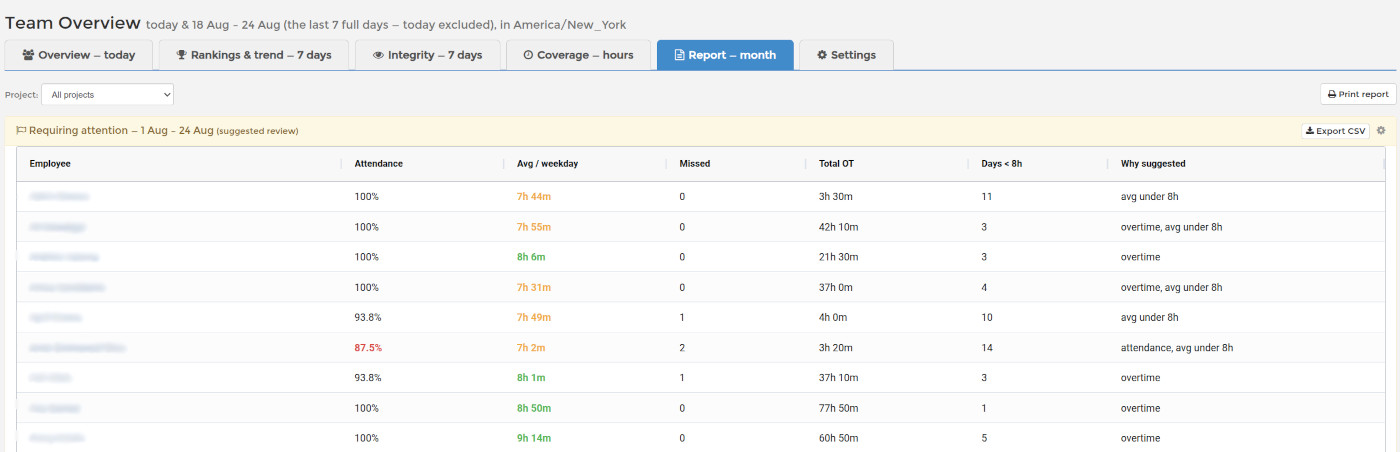
Requiring attention
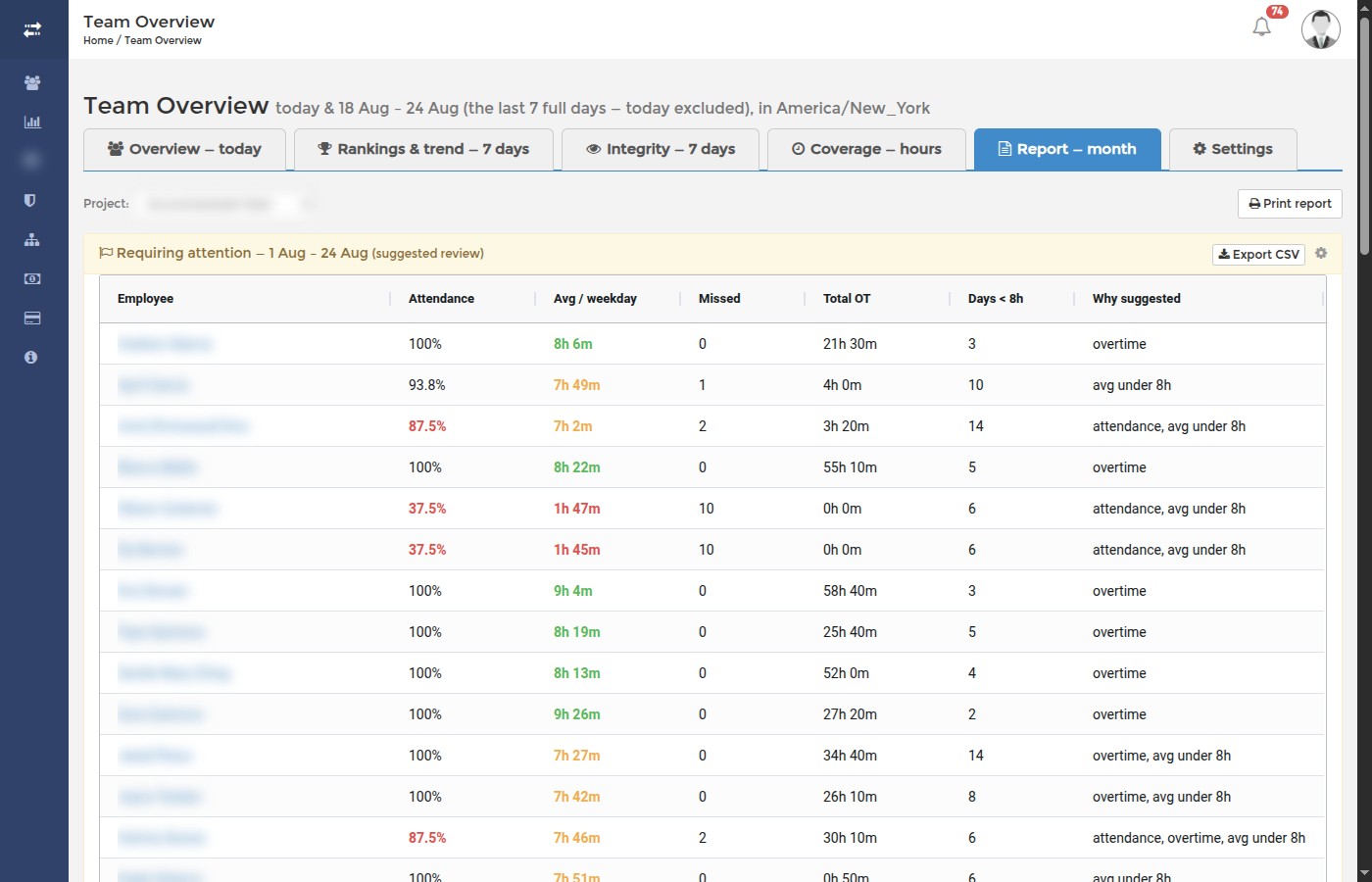
The first table lists only employees the built-in heuristics suggest reviewing, with the reason spelled out in the Why suggested column: attendance below 90%, total overtime of 20 hours or more, or an average under 8h per worked day (judged only once someone has 5+ worked days). Columns: Attendance, Avg / weekday, Missed (weekdays with no tracked time), Total OT and Days < 8h. These are threshold suggestions, not verdicts — someone can be legitimately on vacation, part-time, or doing agreed overtime. Verify in the work log before acting.
Weekend work
The second table lists everyone who worked on weekends this month: Weekend days, Weekend hours, and the share of their total monthly time that weekend work represents. It is informational — weekend work is often agreed overtime — but it makes unpaid or unnoticed weekend load visible.
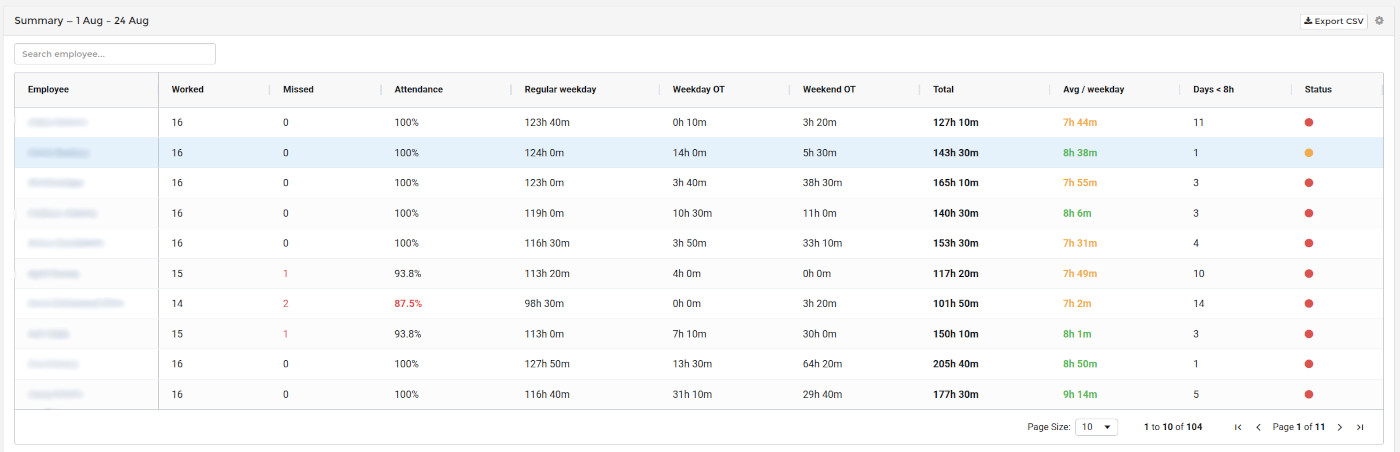
Summary — the full monthly sheet
The third table has one row per employee: Worked / Missed weekdays, Attendance %, Regular weekday hours, Weekday OT, Weekend OT, Total, Avg / weekday, Days < 8h, and a Status dot (green = nothing unusual, amber = some overtime, red = suggested review). The overtime model is simple and predictable: weekday time beyond 8 hours per day counts as weekday overtime, and all weekend time counts as weekend overtime. The average is honest too — weekday hours divided by weekdays actually worked, so weekend overtime never inflates it.
Filtering by project, printing and exporting
Use the Project selector at the top to scope the whole report to a single project: the tables then show only the employees assigned to that project, with only their hours on it — per-project attendance and overtime at a glance. An employee assigned to the project who did not work on it still appears with zeros, which is exactly what makes absences visible. Print report opens a clean printable sheet of the full report, and every table has its own Export CSV button for payroll or HR.
Day by day: the weekly attendance grid
This report is monthly and counts days. For the day-by-day picture, who started and finished when and whether that was late or early against the working hours you set, open the Attendance tab. Read more: Team Overview: Attendance, Start and End of Work by Week.