
Best Time Tracking Software with Screenshots (2026)
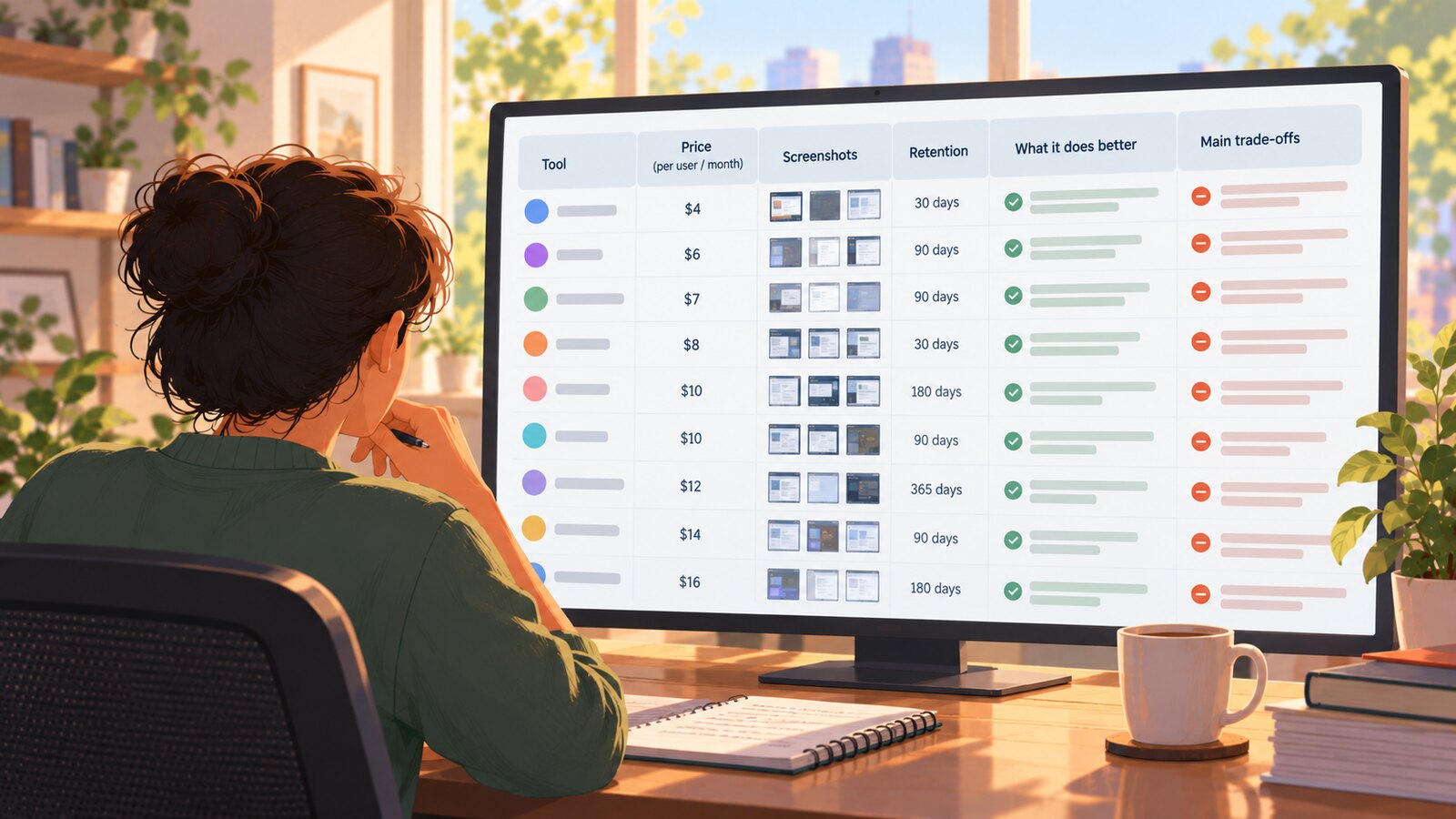
The best time tracking software with screenshots in 2026 are SCREENish, Hubstaff, and Time Doctor, with Clockify as the strongest budget pick for teams already on its free plan. SCREENish takes the top spot because screenshots, GPS, and payroll reports are all included in one flat $5.00 per employee per month price, while most competitors reserve screenshots for mid or top tiers. Below we rank nine screenshot time trackers by price, screenshot gating, and retention, with all prices verified as of mid-2026.
Full transparency: SCREENish is our product, and we rank it #1 for flat-price screenshot tracking. We think the facts back that up — but every entry below states plainly what each competitor does better than us, what its screenshots cost, and where it falls short, so you can make your own call. For side-by-side breakdowns, see our full comparison hub.
1. SCREENish — best for flat-price screenshot tracking with no feature gates
SCREENish is built around one idea: everything included, one price. Screenshots are captured at random moments within every 10-minute interval on every account — there is no higher tier to unlock them. The same flat price covers keyboard and mouse activity levels, idle detection, Android GPS tracking, weekly payroll reports, work log approval, XLS accounting export, and mouse jiggler detection with human review, so nobody gets accused of faking activity by an algorithm alone.
Screenshots: included on all accounts, random capture, 45-day retention. Price: flat $5.00 per employee per month as of mid-2026, EU VAT included, no seat minimum, free trial with no credit card — see SCREENish pricing.
Honest limitation: no iOS app yet, fewer third-party integrations than the big platforms, and standard plans top out at 20 employees (larger teams go through sales).
2. Hubstaff — best for large field teams and payroll automation
 Learn how SCREENish saves you money
Time tracking with screenshots, honest reports and hands-off payroll. Free to try — no credit card.
Start free →
Learn how SCREENish saves you money
Time tracking with screenshots, honest reports and hands-off payroll. Free to try — no credit card.
Start free →
Hubstaff is the most complete workforce platform on this list. It has polished iOS and Android apps, geofenced job sites, automated payroll on its Team and Enterprise plans, and one of the broadest integration ecosystems in the category. If you run crews in the field and want time, location, and pay in one system, it is the benchmark. Learn more at hubstaff.com.
Screenshots: included on all paid plans but quota-capped — 500 per user per month on Starter, 1,500 on Grow, unlimited only on Team and up. Price: Starter is $4.99/user/month billed annually ($7 monthly) with a two-seat minimum, as of mid-2026.
Honest limitation: the low sticker price grows fast — GPS Locations is an add-on from $3.33/user/month and Insights analytics from $2.50, so a fully equipped seat costs well above the entry price.
3. Time Doctor — best for long screenshot retention and productivity analytics
Time Doctor is a mature monitoring suite aimed at distributed teams and BPOs. Screenshots come standard on every plan, and its retention is the longest here: three months on Basic and up to two years on Premium and Enterprise, which matters if you need a long audit trail for client billing or compliance. The 14-day Premium trial requires no credit card. Learn more at timedoctor.com.
Screenshots: included on all plans; payroll and productivity ratings start at the Standard tier. Price: from $6.67/user/month on annual billing ($8 monthly) as of mid-2026, rising to $11.67 for Standard and $16.70 for Premium.
Honest limitation: no GPS tracking at all as of mid-2026, and the mobile apps record timer hours only — this is a desktop-monitoring tool.
4. Clockify — best budget upgrade path from a free time tracker
Clockify earned its reputation with a genuinely useful free plan (up to 5 users) and over 100 integrations, plus iOS apps and a kiosk mode for shared devices. If your team already tracks time in Clockify, adding screenshots is a plan toggle rather than a migration. Learn more at clockify.me.
Screenshots: gated to the Pro plan and above; captured at random roughly 5-minute intervals, blurred at low resolution by default, stored up to one year. Price: plans start at $3.99/user/month, but screenshots and GPS first appear in Pro at $7.99/user/month annual ($9.99 monthly), as of mid-2026.
Honest limitation: no dedicated faked-activity detection and thin native payroll — Clockify is a timesheet product first and a monitoring product second.
5. Insightful — best for workforce analytics and on-premise deployment
Insightful (formerly Workpuls) leans into analytics: automatic active/idle classification, app and website labeling, 50+ integrations including Jira, Asana, ClickUp, and BambooHR, and — rare in this category — an on-premise option for organizations with 250+ employees and strict data-residency needs. Learn more at insightful.io.
Screenshots: included on all plans, but on-demand screenshots, higher-frequency capture, and screen recording are paid add-ons at $3–$4 per seat/month each. Price: from $8/seat/month (Workforce Analytics) as of mid-2026, with stated prices requiring annual billing; the full bundle is $16.
Honest limitation: desktop-only — no mobile apps, no GPS — and built-in payroll is still listed as "coming soon."
6. DeskTime — best for automatic productivity scoring
DeskTime's signature is fully automatic tracking: it logs apps, URLs, and even document titles in the background and rolls them into a productivity score without anyone starting a timer. For managers who want passive measurement rather than manual work logs, it is one of the most hands-off options available. Learn more at desktime.com.
Screenshots: gated to the Premium plan and up; random capture within 5–30 minute intervals with optional blur. Price: Pro starts at $6.42/user/month annual ($7 monthly, VAT excluded), but screenshots require Premium at $9.17 annual ($10 monthly), as of mid-2026.
Honest limitation: that Premium gate makes DeskTime one of the pricier ways to get screenshots, and it does not advertise fake-activity detection.
7. TimeCamp — best free plan for unlimited users
TimeCamp's free plan is the most generous here — unlimited users, projects, and timesheets — and paid tiers add AI-assisted automatic tracking, invoicing, billing, and 50+ integrations including Jira and Asana. As a budgeting and billing tool it competes well above its price. Learn more at timecamp.com.
Screenshots: the most heavily gated on this list — screenshots, unlimited integrations, and timesheet approvals sit in the Ultimate tier only, captured every 10 minutes. Price: Starter is $3.99/user/month annual, but screenshots require Ultimate at $9.99/user/month annual ($13.99 monthly), as of mid-2026.
Honest limitation: if screenshots are the reason you are shopping, TimeCamp effectively costs $9.99 and up — more than double its advertised entry price.
8. Monitask — best lightweight monitor with screenshots on every tier
Monitask is a straightforward, no-drama monitoring tool: screenshots on every plan at random or fixed intervals, an iOS app, and app/URL analytics from the Business tier up. For small teams that want basic proof-of-work without a platform's complexity, it does the job. Learn more at monitask.com.
Screenshots: included on all plans; retention is just 1 month on Pro and 2 months on Business tiers. Price: Pro from $6.49/user/month annual ($7.99 monthly) as of mid-2026, with a 10-day free trial and no permanent free tier.
Honest limitation: GPS is reserved for Business Premium ($12.99+ annual), the Pro tier allows only one integration, and there is no mouse-jiggler detection.
9. Apploye — best free plan that actually includes screenshots
Apploye undercuts nearly everyone: its free Starter plan supports up to 10 users with hourly screenshots, and the Elite plan is the cheapest paid entry on this list. iOS and Android apps with geofencing round out a surprisingly complete package for the money. Learn more at apploye.com.
Screenshots: included on all plans, but frequency scales by plan — from one per hour on the free tier upward. Price: Elite at $4.50/user/month annual ($7 monthly) as of mid-2026; Power is $8 annual, with optional add-ons at $1–$4 per user/month.
Honest limitation: those add-ons make real-world pricing less predictable than the sticker suggests, screenshot retention is not published, and there is no human-review workflow for suspicious activity.
How to choose time tracking software with screenshots
Five things separate these tools far more than their feature checklists do:
- Flat vs. tiered pricing. A $3.99 entry price means nothing if screenshots live two tiers up. Always compare the price of the plan that actually includes screenshots — that is the column in the table below.
- Screenshot gating. SCREENish, Time Doctor, Monitask, Insightful, and Apploye include screenshots on every plan. Clockify (Pro), DeskTime (Premium), and TimeCamp (Ultimate) gate them; Hubstaff caps monthly screenshot quotas on lower tiers.
- Retention. Ranges from 1 month (Monitask Pro) through 45 days (SCREENish) and 1 year (Clockify) to 2 years (Time Doctor Premium). Match it to your billing-dispute and audit window.
- GPS and mobile. Field teams should shortlist Hubstaff, Apploye, or SCREENish (Android). Time Doctor and Insightful offer no GPS at all as of mid-2026.
- Free plans and trials. TimeCamp (unlimited users), Clockify (5 users), and Apploye (10 users, with screenshots) have real free tiers. SCREENish, Time Doctor, and Monitask offer credit-card-free trials instead.
Comparison at a glance
| Tool | Screenshots included? | Starting price with screenshots (mid-2026) |
|---|---|---|
| SCREENish | Yes — every account | $5.00 flat/user/mo |
| Hubstaff | Yes — capped at 500/mo on Starter | $4.99/user/mo annual (2-seat min) |
| Time Doctor | Yes — all plans | $6.67/user/mo annual |
| Clockify | Pro plan and up | $7.99/user/mo annual |
| Insightful | Yes — advanced capture is an add-on | $8/seat/mo annual |
| DeskTime | Premium plan and up | $9.17/user/mo annual |
| TimeCamp | Ultimate tier only | $9.99/user/mo annual |
| Monitask | Yes — all plans | $6.49/user/mo annual |
| Apploye | Yes — 1/hour on free plan | Free (10 users) / $4.50/user/mo annual |
Bottom line
If you want screenshots without decoding a pricing matrix, SCREENish's flat $5.00 covers everything — see pricing and start the free trial with no credit card. If you need iOS apps, GPS-driven field payroll, or multi-year screenshot retention, Hubstaff and Time Doctor are excellent, and we say so on our own comparison pages. Whichever tool you pick, verify which plan actually includes screenshots before you compare prices — that single detail changes the ranking more than any feature list.