Activity Review: Checking Unusual Activity
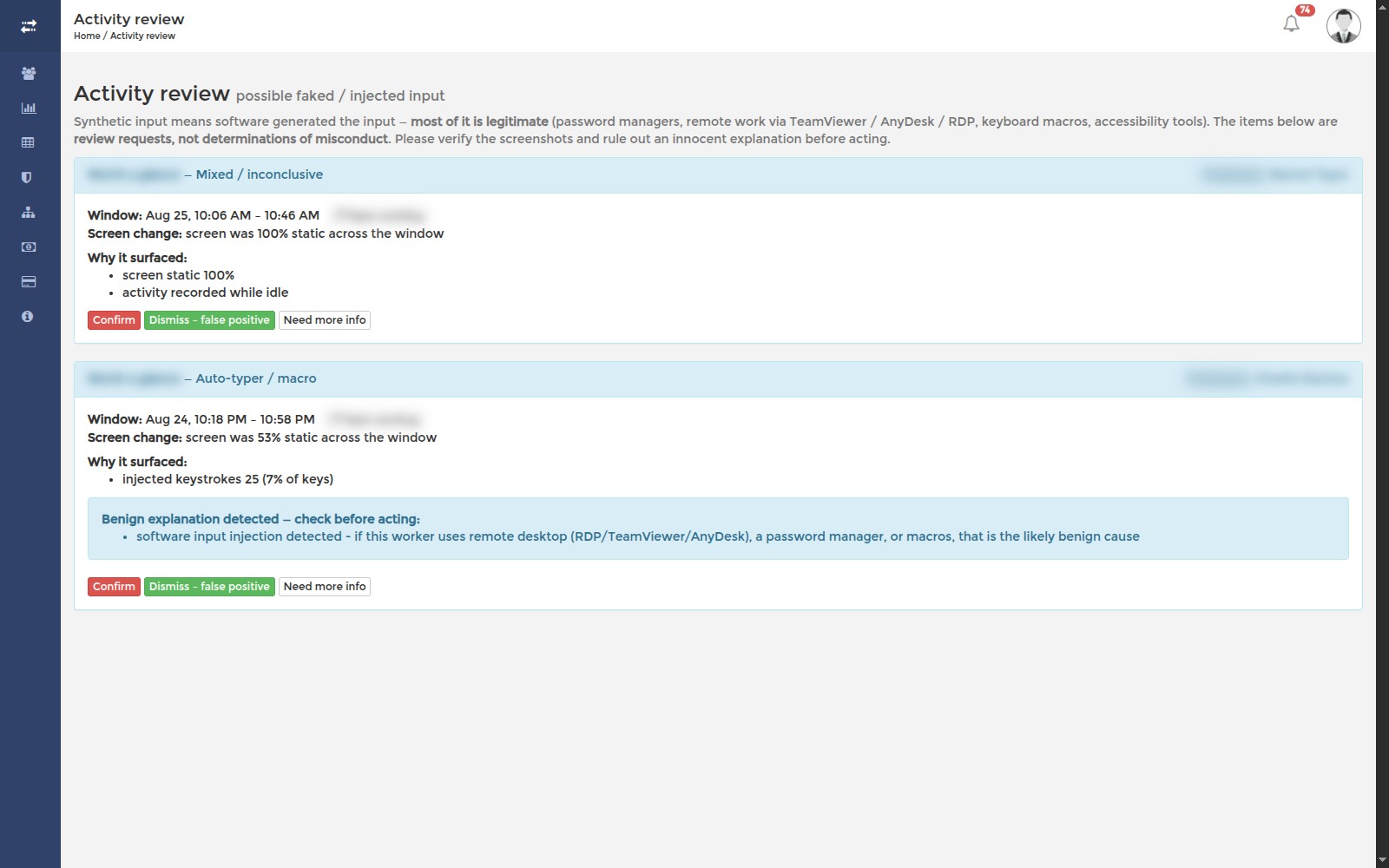
SCREENish can flag a stretch of tracked time that looks like it may have been produced by an auto-clicker, a mouse jiggler or a similar tool. Anything it notices goes to Activity review for a person to look at. It is never an automatic accusation — no time is rejected and nobody is penalised unless you decide to act.
Each card explains Why it surfaced. When there is a legitimate reason for what was seen, such as a remote-desktop session, the card says Benign explanation detected — check before acting. Take that seriously: it usually means nothing is wrong.
Read the card, open the screenshots, then choose Confirm, Dismiss – false positive, or Need more info. When in doubt, talk to the person before you confirm anything.