
Approvals: Bulk Approving One Worker
To approve a single worker's existing screenshots, open their WORK LOGS and press Bulk approve. Pick a From and To date and choose how idle time is handled:
- Approve all screenshots — including idle time.
- Approve, but reject idle over 7 minutes and no activity
- Reject any idle time and no activity — approve active time only.
Both reject options also reject windows with no keyboard or mouse activity at all. Manual time entries are not affected.
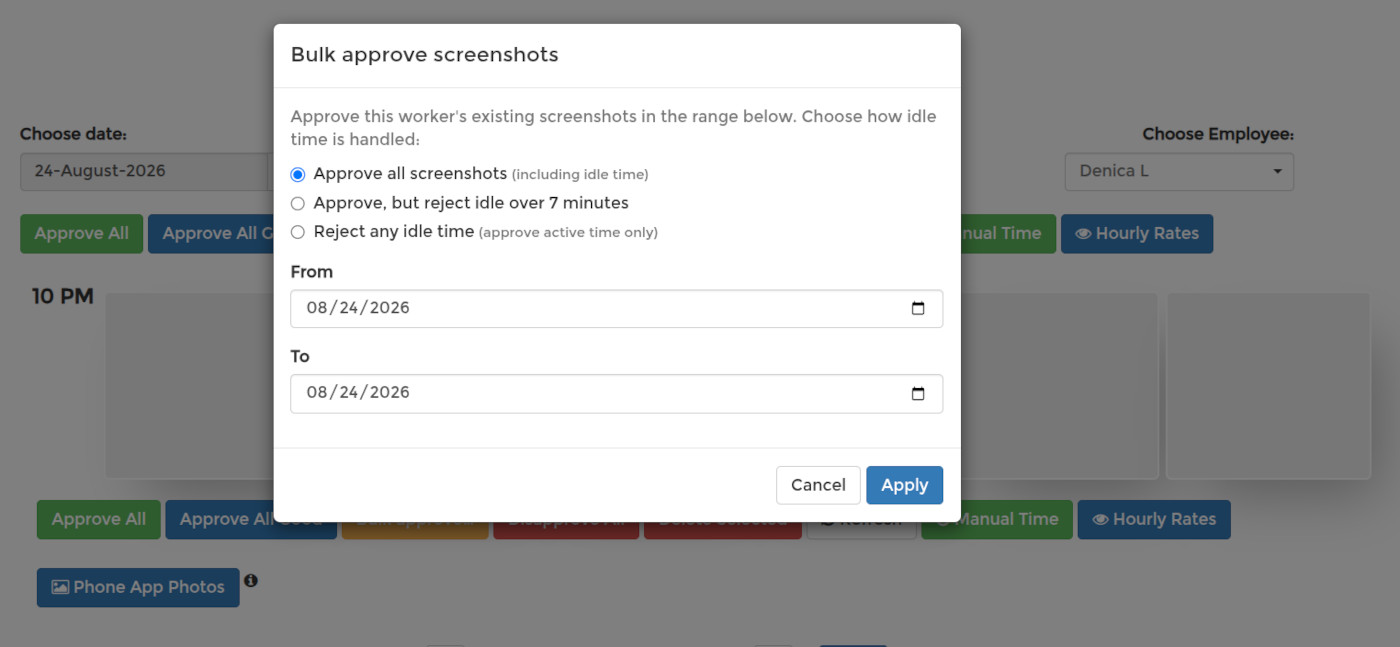
The choice you make here applies to this run only — it does not change, and is not taken from, the rule saved in your profile. Press Apply to finish. It cannot be undone.
For a quick pass instead, Approve All Good approves only the windows that recorded activity and no idle time.