Time Tracking with Screenshots Logo
  • How it works
  • Prices & FAQ
  • Blog
  • Sign Up
  • Log In
  • Contact Us
  • Try SCREENish for free
  1. SCREENish
  2. How it works
  3. Approving or Rejecting Work

Approving or Rejecting Work

In WORK LOGS, review screenshots and activity data, then approve or reject time entries using the checkboxes. Use Approve All or Disapprove All to handle multiple entries at once.
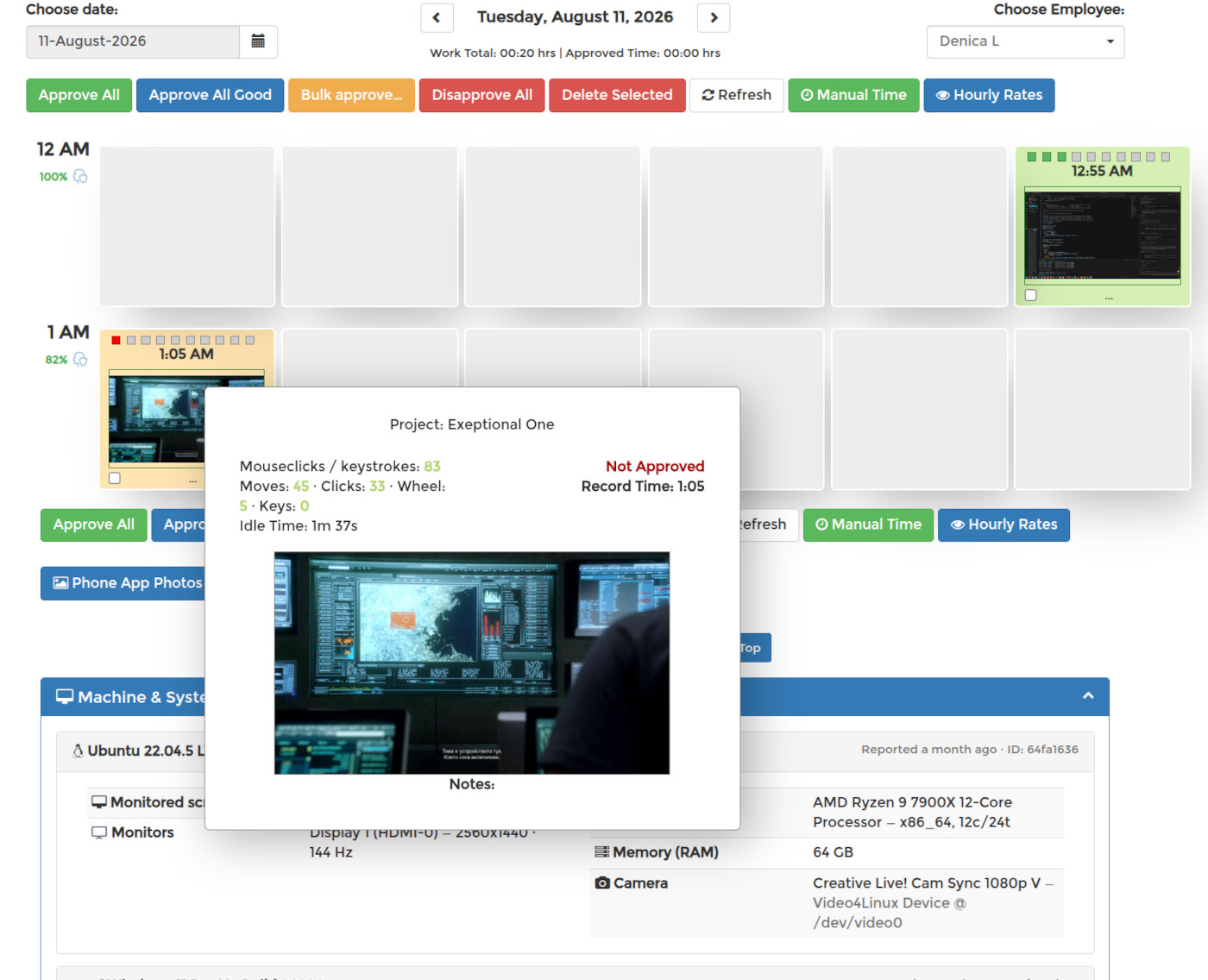
Approve All, Disapprove All and bulk approval buttons in the SCREENish work log, with a screenshot's approval status shown in the detail popover

See it in your own work logs

SCREENish is free to try — no credit card required.

Start free

← All guides

  • How it works
  • Prices & FAQ
  • Blog
  • Sign Up
  • Log In
  • Contact Us
  • Try SCREENish for free
  • Cookie Settings

Solutions

  • Mouse Jiggler Detection Software
  • Faked Activity Detection
  • Overemployment Detection for Remote Teams
  • Remote Employee Identity Verification
  • Face Recognition Time Tracking
  • Employee Attendance & Overtime Reports
  • Compare Alternatives
  • Feature Guides
  • Blog Articles
  • Pricing & Plans

From the Blog

  • Can Employers Detect Mouse Jigglers?
  • How to Tell If Activity Is Real: What the OS Flags as Fake Input
  • 12 Signs a Remote Employee Is Working Two Jobs
  • Proxy Workers: How to Tell If Someone Else Is Doing the Job
  • GDPR-Compliant Employee Monitoring: A Practical Checklist
  • Best Time Tracking Software with Screenshots (2026)
  • If an Employee Deletes a Screenshot, What Can the Employer Still See?
  • Idle Time Settings: How Many Minutes to Deduct
  • A Fair Mouse-Jiggler Policy for Remote Teams
  • Overemployment in 2026: The Numbers
© SCREENish 2026 All right reserved. By SCREENish.com | Terms of Service | Privacy Policy | Cookie Policy