
Billing: Company Details on Your Invoices
The details printed on your invoices come from your profile, so fill them in before your first payment. Go to EDIT PROFILE > Company & Personal Info.
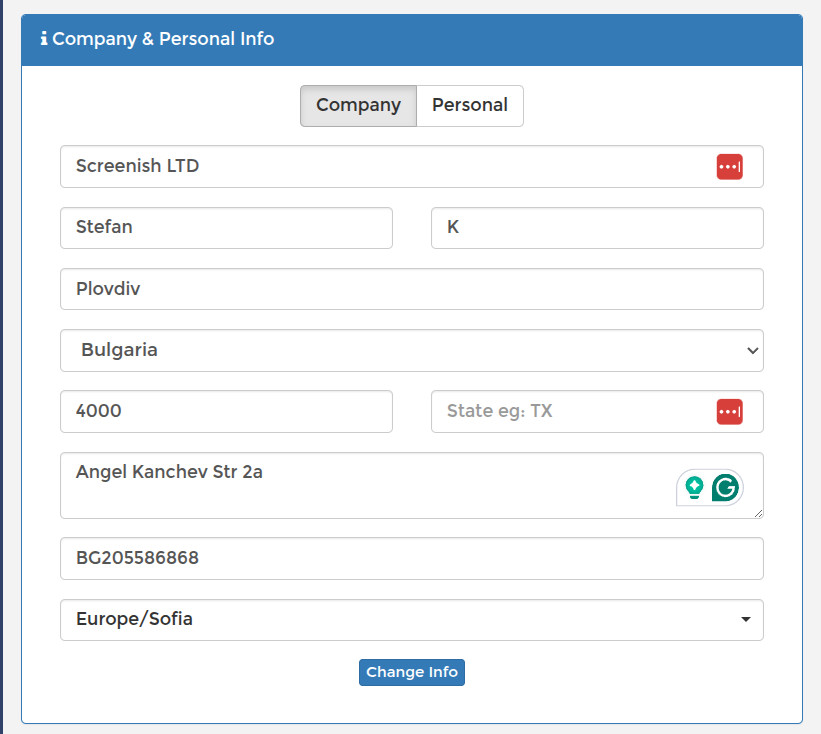
- Choose Company or Personal.
- Fill in the name, Address, City, State and Postal.
- Businesses in the EU should add a VAT ID — for example BG205586868.
Save when you are done. Anything you change here appears on invoices issued from that point on, so it is worth getting right early. Check your Time Zone in the same panel too — it affects how invoices, payrolls and graphs are dated.