Time Tracking with Screenshots Logo
  • How it works
  • Prices & FAQ
  • Blog
  • Sign Up
  • Log In
  • Contact Us
  • Try SCREENish for free
  1. SCREENish
  2. How it works
  3. Checking Employee Activity and Productivity

Checking Employee Activity and Productivity

In WORK LOGS, select an employee and date to see their recorded activity. Screenshots are captured randomly (5-10 per interval) every 10 minutes and stored for 45 days.

Click on any screenshot to see keyboard/mouse activity, idle time, and employee notes. Hover for a quick preview, or click for the full-size image. You can also view Active Programs used during that time.
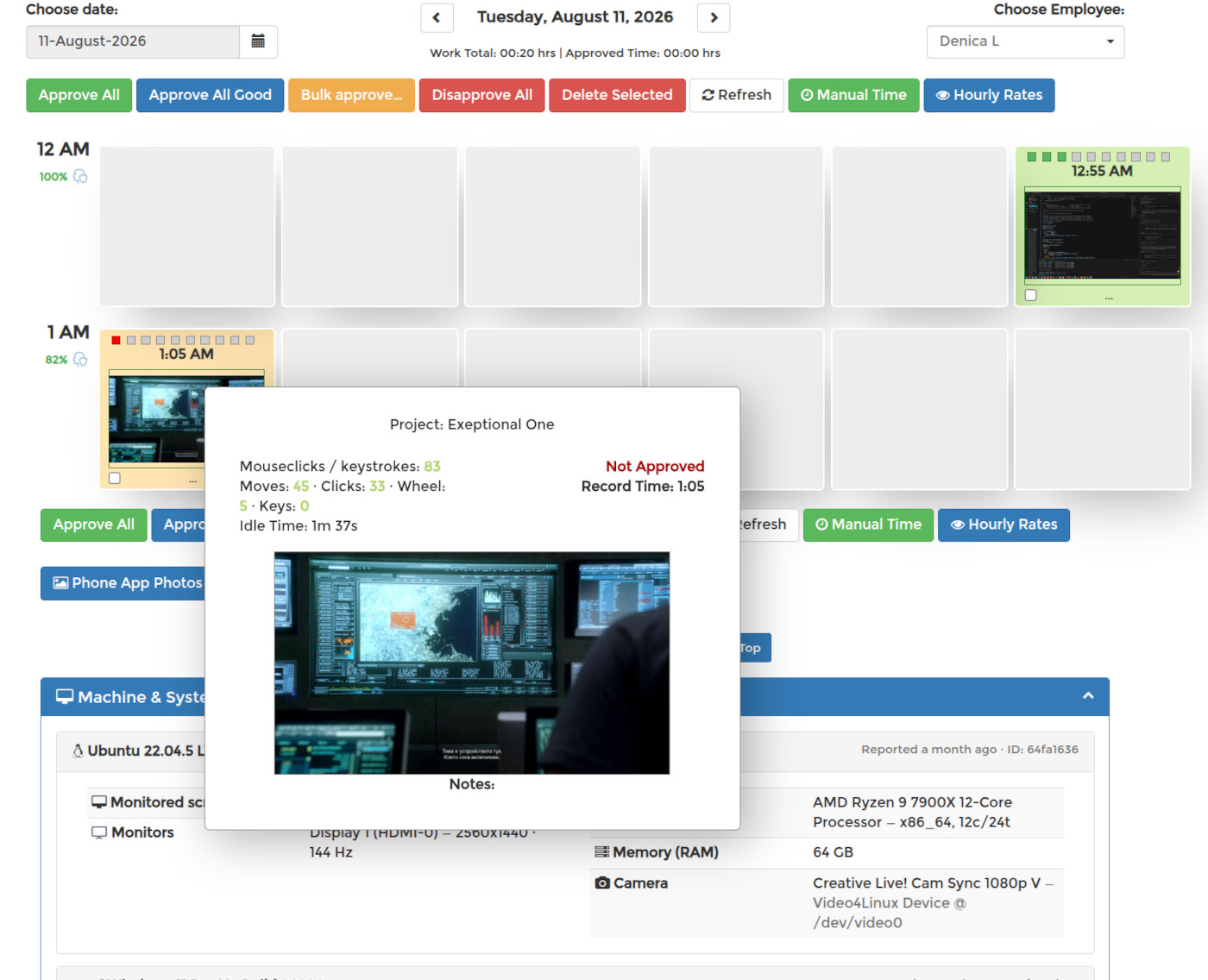
Check activity in SCREENish

See it in your own work logs

SCREENish is free to try — no credit card required.

Start free

← All guides

  • How it works
  • Prices & FAQ
  • Blog
  • Sign Up
  • Log In
  • Contact Us
  • Try SCREENish for free
Random Blog Posts
  • Verification Is The Ultimate Form Of Trust
  • A Guide To Teamwork Between Outsourced Professionals
  • Key Principles Of Risk Management For Future And Ongoing Projects
  • Key Principles To Creating Project Strategies
  • Be the one in control of your tasks
  • Most commonly hired type of outsourced professionals
  • How to increase the productivity at the workplace
  • Key principles to effective management of outsourced projects
  • Few tips on how to decrease the costs of your office
  • Project and process time management
© SCREENish 2026 All right reserved. By SCREENish.com | Terms of Service | Privacy Policy & Cookies