
Client Sharing: What Your Client Can See
When you share a project from PROJECTS > Share with client, your client gets a link and a time-limited password. No SCREENish account is needed.
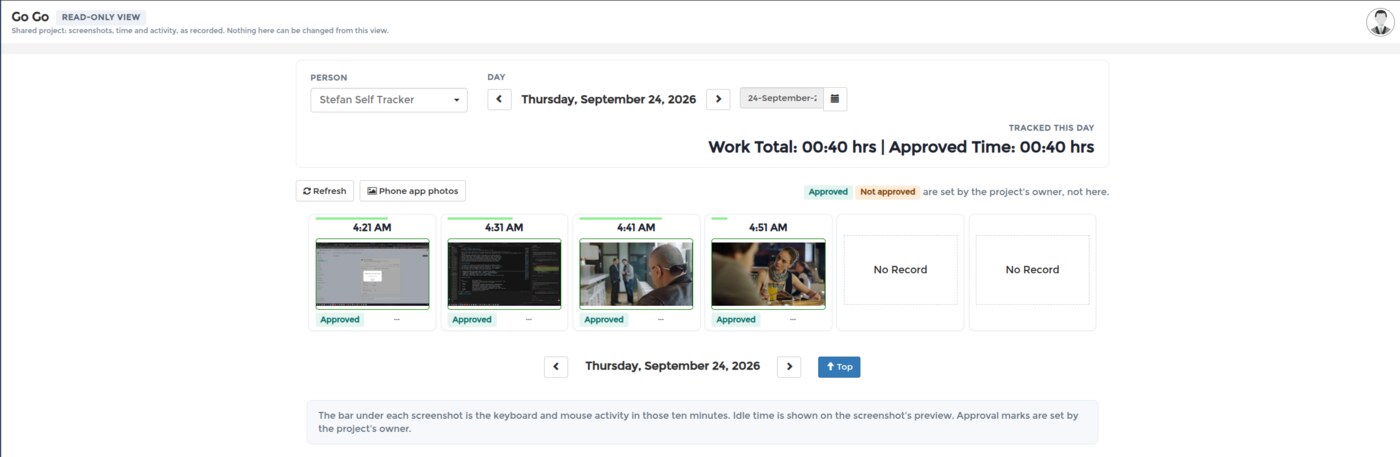
They see a read-only view of that one project and nothing else: no other project, no payroll, no rates, and none of your other employees. The view has one toolbar (the person, the day, the hours tracked that day), the screenshots of the day with their activity and idle time, the photos from the phone app, and the programs used. They cannot approve, reject or change anything: the Approved and Not approved marks on the screenshots are yours, set from your dashboard, and the client only sees them.
You stay in control: Resend Invitation sends the link again, and Make Private revokes access immediately. To set a share up in the first place, see Sharing Project Progress with Clients.