Mac: Fixing Screenshot Issues
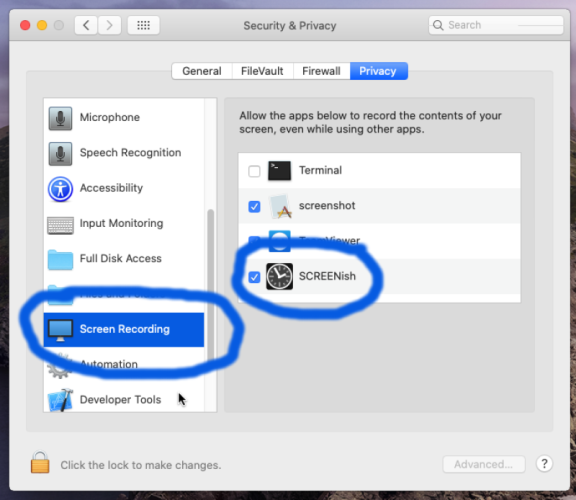
If screenshots show a blank desktop, you need to enable Screen Recording permission:
- Open System Preferences > Security & Privacy
- Click Screen Recording in the left panel
- Click the padlock to unlock settings
- Check the box next to SCREENish
- Restart SCREENish