
Project Monitoring Options: Screenshots, Programs and Idle Time
What SCREENish records is set per project and per employee, so you can track different teams — and different people on the same project — differently. Go to PROJECTS > Assign Projects to Employee(s), click Advanced Options in the project's row in the employee's Projects Management table, and use the Employee Monitoring toggles:
- Allow Screenshots — capture screenshots for this project, or turn them off for time-only tracking.
- Allow Program reports — record which applications and websites were used.
- Allow Idle Time Reports — detect and report inactivity.
- Distraction Reporting — measure the time spent in categories and programs you mark as distracting; quiet, nothing pops up.
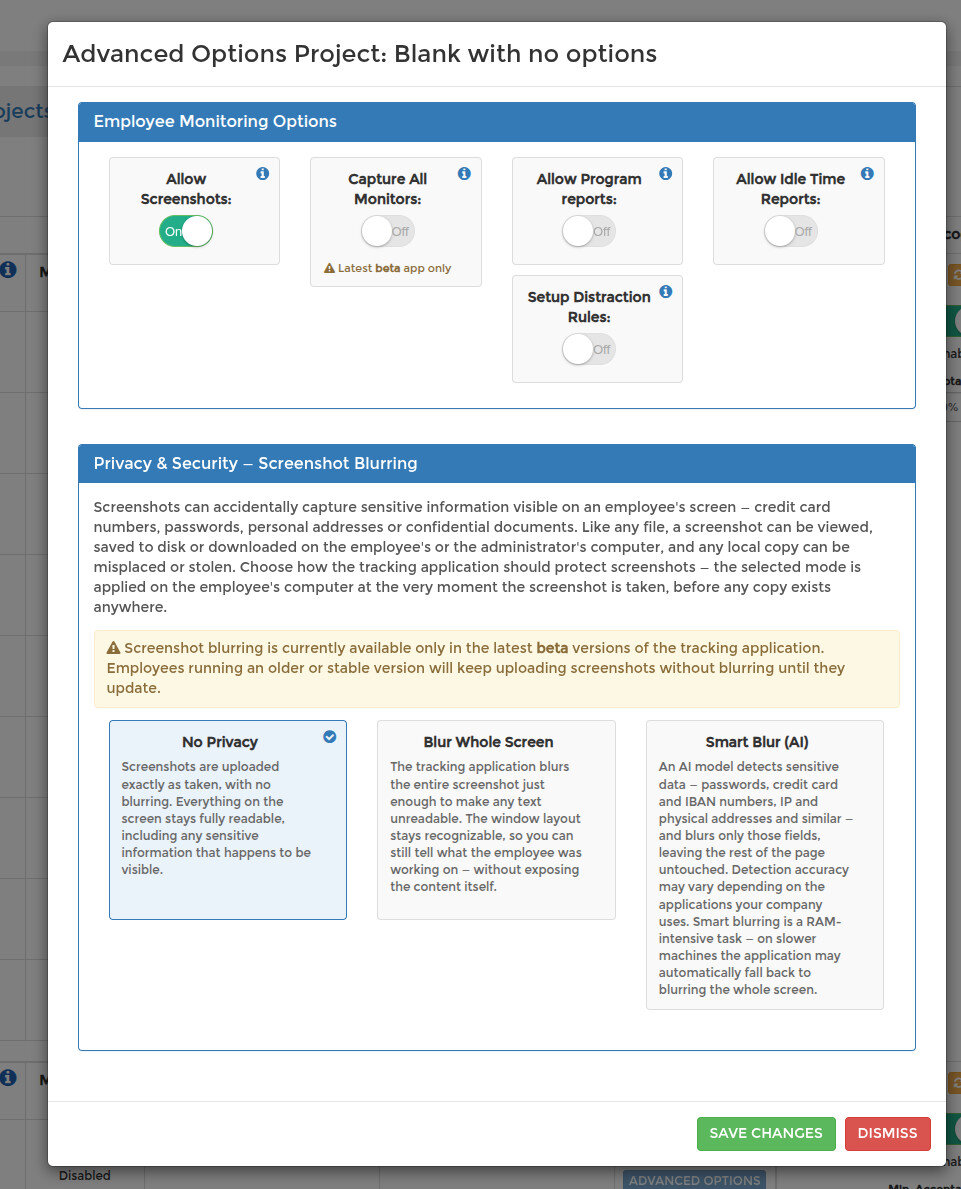
While Allow Screenshots is on, a Privacy & Security — Screenshot Blurring panel also appears — see Screenshots: Choosing a Privacy Blur Mode.
The settings apply to the employee whose row you opened, on that project only, so choose them to match the work — a field team and a design team rarely need the same monitoring.