Time Tracking with Screenshots Logo
  • How it works
  • Prices & FAQ
  • Blog
  • Sign Up
  • Log In
  • Contact Us
  • Try SCREENish for free
  1. SCREENish
  2. How it works
  3. Project Monitoring Options: When Setting Changes Take Effect

Project Monitoring Options: When Setting Changes Take Effect

Changes you make in a project's Advanced Options — screenshots, program reports, idle reports, distraction rules and screenshot blurring — do not reach a running tracker instantly. The tracking application receives the project's settings when it logs in.
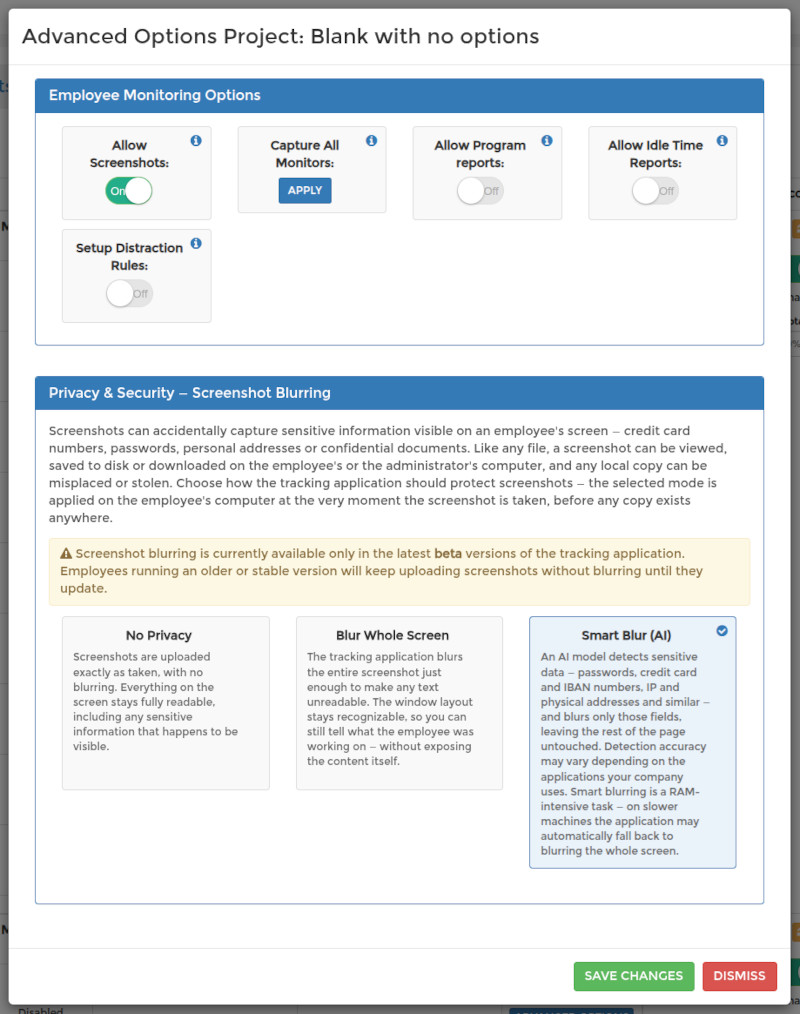
So after you press Save Changes, ask the affected employee to log out of the time tracking application and log back in, or simply restart it. Until they do, the app keeps working with the settings it fetched at its last login — this is why the dashboard reminds you to notify your employee after saving.

Settings are never applied retroactively: anything already tracked and uploaded stays as it was, and the new settings apply from the next login onward. For what each toggle does, see Project Monitoring Options: Screenshots, Programs and Idle Time.

See it in your own work logs

SCREENish is free to try — no credit card required.

Start free

← All guides

  • How it works
  • Prices & FAQ
  • Blog
  • Sign Up
  • Log In
  • Contact Us
  • Try SCREENish for free

Solutions

  • Mouse Jiggler Detection Software
  • Overemployment Detection for Remote Teams
  • Remote Employee Identity Verification
  • Face Recognition Time Tracking
  • Compare Alternatives
  • Feature Guides
  • Blog Articles
  • Pricing & Plans

From the Blog

  • Can Employers Detect Mouse Jigglers?
  • How to Tell If Activity Is Real: What the OS Flags as Fake Input
  • 12 Signs a Remote Employee Is Working Two Jobs
  • Proxy Workers: How to Tell If Someone Else Is Doing the Job
  • GDPR-Compliant Employee Monitoring: A Practical Checklist
  • Best Time Tracking Software with Screenshots (2026)
  • If an Employee Deletes a Screenshot, What Can the Employer Still See?
  • Idle Time Settings: How Many Minutes to Deduct
  • A Fair Mouse-Jiggler Policy for Remote Teams
  • Overemployment in 2026: The Numbers
© SCREENish 2026 All right reserved. By SCREENish.com | Terms of Service | Privacy Policy & Cookies