
Reviewing Your Work Log (Employee View)
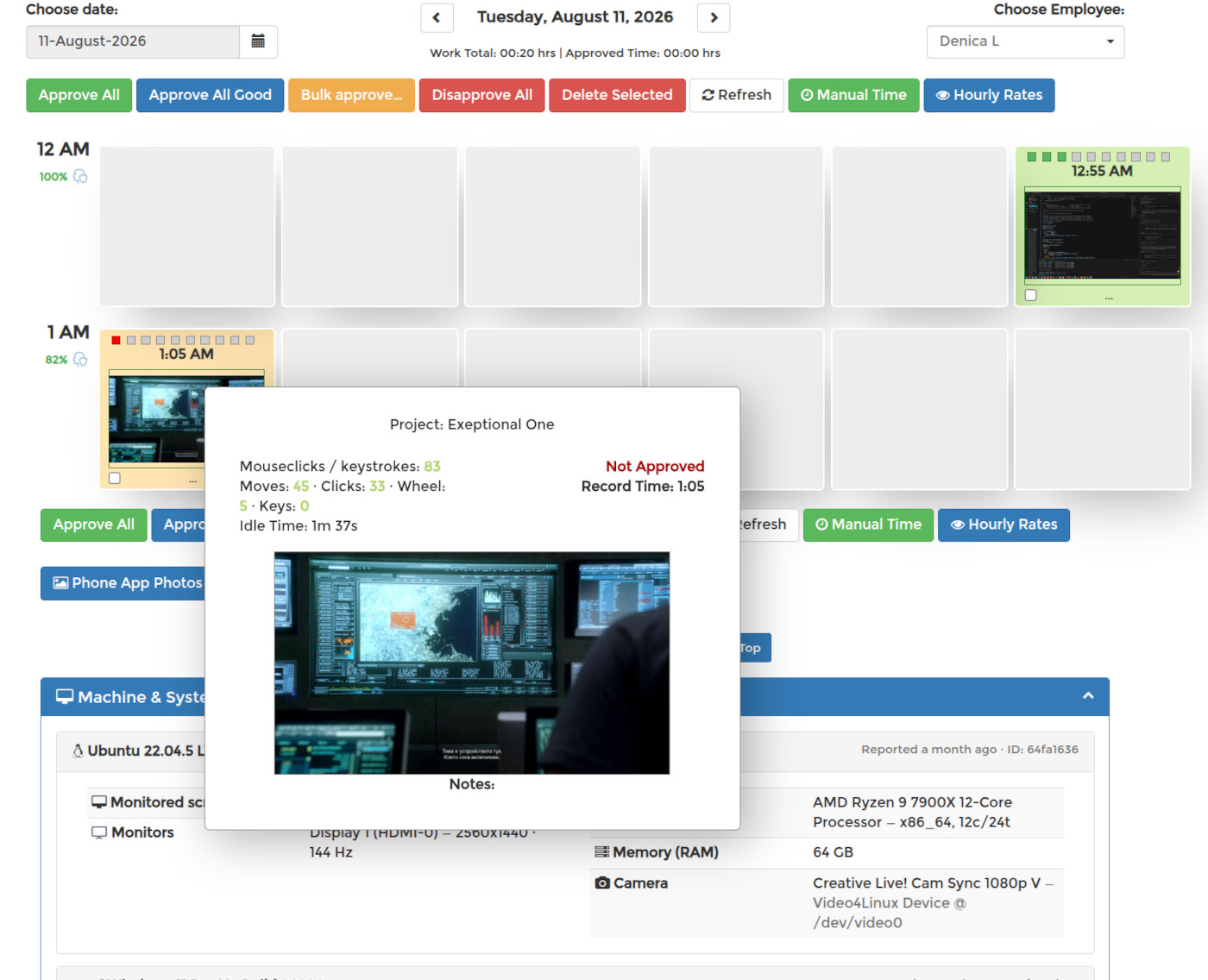
Go to WORK LOGS in your dashboard and pick your employer from the dropdown. Choose a date — days you actually worked are marked green in the calendar. Your total hours for the day and their approval status appear at the top, and below them every tracked slot with its screenshot, hour by hour.
Hover over any screenshot to see the details behind it: the project you were tracking on, your activity as mouse and keyboard counts, idle time, any notes you attached, and whether the slot has been approved yet. Click a screenshot for the full-size image.
Note: deleting a screenshot also removes the time it represents — the tracked minutes for that slot are gone with it. The deletion is not invisible either: the slot keeps a trash-can marker in the work log and the day shows how many screenshots were removed, so your employer can see that something was deleted — just not what was on it.