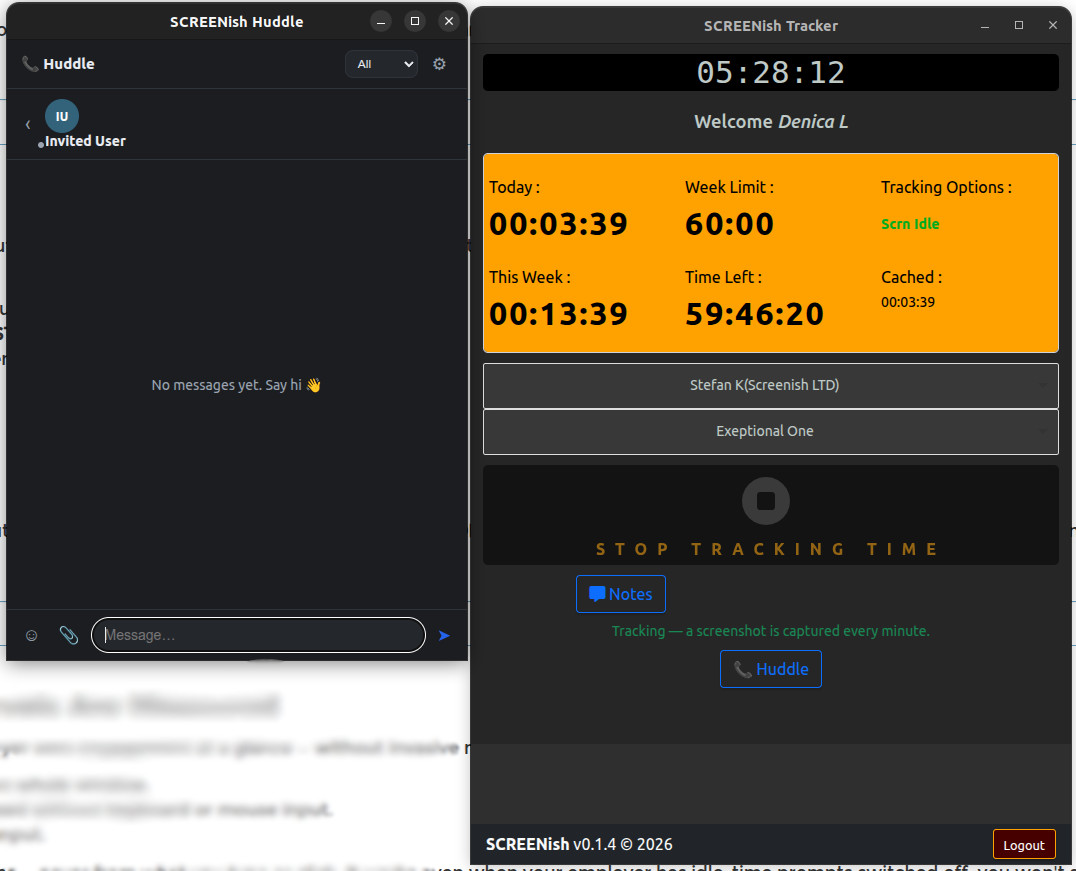
Team Huddle: Calls, Chat and Files
The desktop app and the browser extension both include team communication. While you track time for a team, your online and in-call status and your display photo are visible to that team, so people can see who is around.
- Calls — multi-party audio and video, end-to-end encrypted. They run peer-to-peer where the network allows; where a relay is needed it forwards encrypted packets only, so SCREENish cannot read the stream and never stores it. Nobody outside the call can reach it. A participant can record the conversation locally, to their own device, if they choose to.
- Screen sharing — inside a call, share your whole screen or just a single program, so you can walk the room through one app without exposing everything else.
- SCREENish in-call whiteboard — the presenter draws and the rest of the room follows along live.
- Chat — messages pass through the servers only for the moment of delivery and are kept, encrypted, on the participants' own devices. No copy is kept.
- Files — sent device to device and never touch SCREENish servers at all.
For the extension, see Chrome Extension: Team Huddle — Calls, Chat and Files.