
Night Differential Time Tracking: Paying the Night Premium Without Running Two Systems
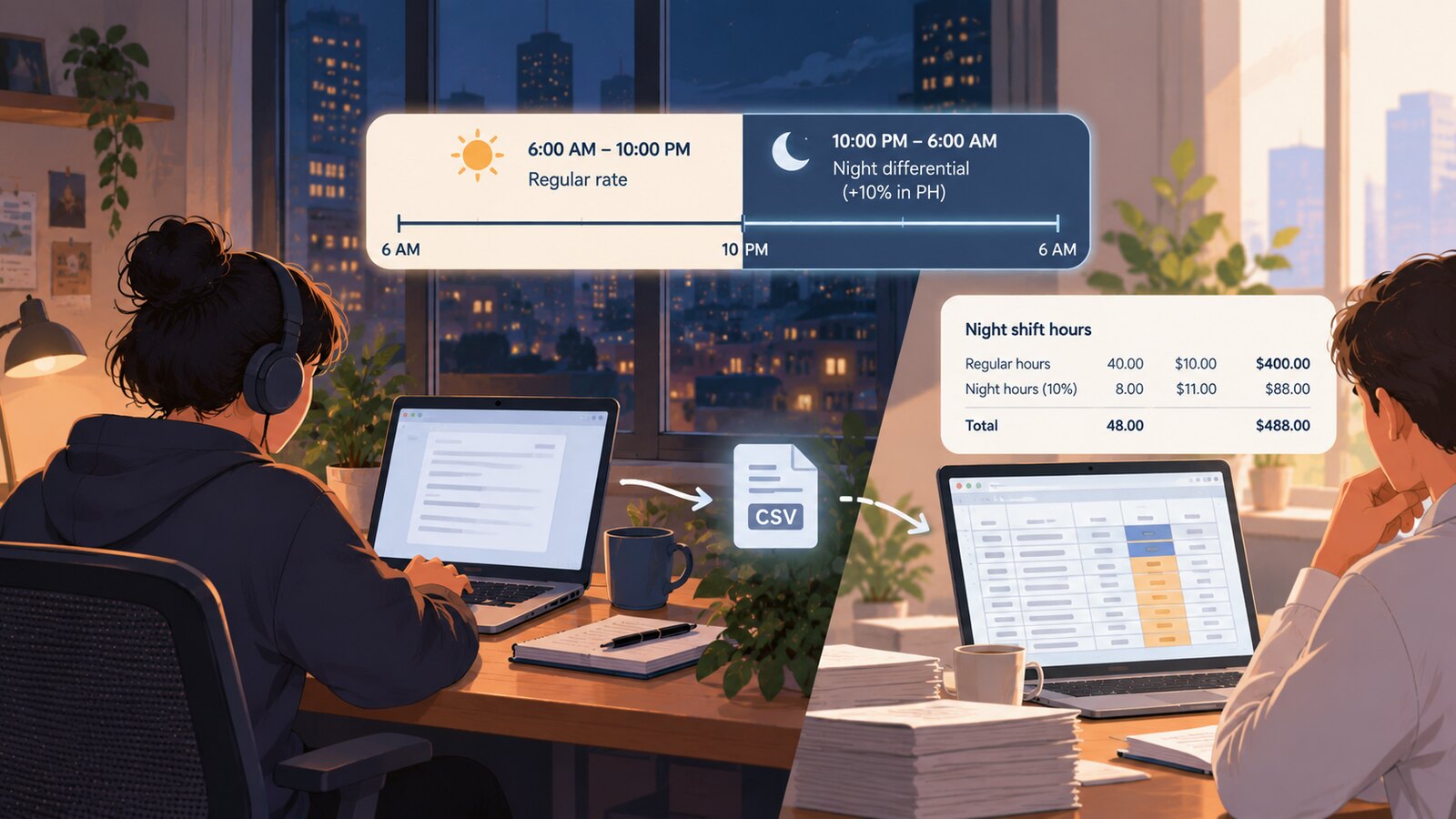
Night differential time tracking means paying a higher hourly rate for hours worked at night, and almost no screenshot-based time tracker does it — they price every hour the same regardless of when it was worked. If you run an offshore team in the Philippines, the law requires at least a 10% premium for work between 10:00 p.m. and 6:00 a.m., while your client requires a screenshot tracker, so most teams end up running two systems and reconciling by CSV. This article shows the actual computation, where the CSV hand-off breaks, and what a time-of-day rate inside the tracker can and cannot do.
What the law actually requires
The statutory basis is short. Article 86 of the Labor Code of the Philippines reads: "Every employee shall be paid a night shift differential of not less than ten percent (10%) of his regular wage for each hour of work performed between ten o'clock in the evening and six o'clock in the morning."
Three words in that sentence do most of the work:
- "not less than" — 10% is a floor, not a rate. A collective bargaining agreement, a company policy, or a client contract can set it higher, and once it is set higher it is enforceable at the higher figure.
- "for each hour" — the premium attaches to hours, not to shifts. An employee who works 9:00 p.m. to 5:00 a.m. earns the differential on seven hours, not eight, and not zero.
- "regular wage" — the base is the regular wage for that hour, which is why the differential stacks on top of overtime rather than replacing it.
That stacking is spelled out in the implementing rules. Book III, Rule II of the Omnibus Rules Implementing the Labor Code provides that an employee working beyond schedule "shall be entitled to his regular wage plus at least twenty-five per cent (25%) and an additional amount of no less than ten per cent (10%) of such overtime rate for each hour or work performed between 10 p.m. to 6 a.m." That 25% is the overtime premium set by Article 87, which entitles an employee working beyond eight hours to "his regular wage plus at least twenty-five percent (25%) thereof." The 10% is computed on the overtime rate, not on the base rate — so overtime worked at night compounds to 125% × 1.10 = 137.5% of the base hourly rate.
The same Rule II excludes several categories from coverage: government employees, managerial employees, field personnel and other employees whose time and performance is unsupervised (including those engaged on task or contract basis), domestic helpers, and workers in retail and service establishments regularly employing five or fewer workers. A BPO or agency team of remote agents is generally none of those things, so plan on coverage rather than looking for an exit.
It has to be visible in the payroll record
Rule X, Section 6 of the same Omnibus Rules requires the employer to keep a payroll showing, individually per employee, the length of the pay period, the rate of pay, the amount due for regular work, the amount due for overtime work, deductions, and the amount actually paid. In practice, night shift differential is carried as its own line for the same reason overtime is: a DOLE inspector reading the payroll has to be able to see the premium, not infer it from a blended total. A single "hours × rate" line that quietly averages night and day hours together is the failure mode this rule exists to prevent — even when the total peso amount happens to be correct.
The computation, worked
 Learn how SCREENish saves you money
Time tracking with screenshots, honest reports and hands-off payroll. Free to try — no credit card.
Start free →
Learn how SCREENish saves you money
Time tracking with screenshots, honest reports and hands-off payroll. Free to try — no credit card.
Start free →
Assume an illustrative base rate of ₱100.00 per hour for a full-time agent on an ordinary working day. The multipliers below follow directly from Articles 86 and 87 and Rule II:
| Hour worked | Multiplier | Rate on ₱100.00 base |
|---|---|---|
| Ordinary day, 6:00 a.m. – 10:00 p.m. | 1.00 | ₱100.00 |
| Ordinary day, 10:00 p.m. – 6:00 a.m. (night differential) | 1.10 | ₱110.00 |
| Overtime, daytime | 1.25 | ₱125.00 |
| Overtime performed between 10:00 p.m. and 6:00 a.m. | 1.25 × 1.10 = 1.375 | ₱137.50 |
An agent scheduled 10:00 p.m. to 7:00 a.m. with a one-hour unpaid break taken at 2:00 a.m. works nine hours of clock time and is paid for eight. Seven of those paid hours fall between 10:00 p.m. and 6:00 a.m. and earn ₱110.00; the 6:00–7:00 a.m. hour falls outside the window and earns ₱100.00. Total: ₱870.00, not eight hours at a single blended rate. The premium boundary and the shift boundary are not the same boundary, and that mismatch is a routine source of underpayment. Any tool you use has to reprice by clock time, not by shift label.
Why screenshot trackers do not do this
The tools your client is most likely to mandate price hours flatly. Hubstaff's payroll documentation describes a pay type of "hourly or fixed payments" with a pay rate per team member, and its per-project rates let a member's rate vary by project — but nothing in the model varies a rate by the hour of day. Time Doctor's payroll configuration guide is the same shape: enter a pay rate for each user, optionally add adjustments such as bonuses. Its nearest neighbor is hourly limits, which are scoped per period, per weekday, per day or per workday — day-level granularity again, and about how many hours are allowed rather than what an hour is worth. We go through the rest of these differences in our SCREENish vs Hubstaff comparison and SCREENish vs Time Doctor comparison.
The rest of the screenshot-tracker category sits in the same place — one rate per person or per project, with the night premium left to whatever the employer does downstream. If you are still shortlisting, our roundup of time tracking software with screenshots and the feature-by-feature comparison page lay out where each tool stops.
Payroll and HR software has the opposite gap. It knows about differentials, holiday premiums and 13th-month accruals, and it knows nothing about whether a screenshot was captured at 2:14 a.m. So the buyer runs both, exports hours from one, imports into the other, and lives with the seam.
Who actually hits this
The gap is sharpest for a specific buyer: a Philippine-based BPO, agency, or staffing company whose agents work US or Australian business hours. That means the entire production shift sits inside the 10:00 p.m. to 6:00 a.m. window — the premium is not an edge case applied to a handful of hours a month, it is the effective rate for the whole payroll. At the same time, the client contract usually specifies a named screenshot tracker as a condition of the engagement, so the tracker is not negotiable and the statutory premium is not waivable. Both constraints are hard, and neither vendor category acknowledges the other one exists.
The cost is not only the second subscription. It is the monthly reconciliation: someone exports hours, splits them by hand or by spreadsheet formula into premium and ordinary buckets, and the split is only as good as the assumptions baked into that spreadsheet. That work stays invisible until an agent queries a payslip or an inspector asks how a figure was derived — at which point the spreadsheet, not the tracker and not the payroll system, turns out to be the real system of record for the premium. That is a bad place for the system of record to live.
Where the CSV hand-off breaks
The seam is not merely annoying — it produces wrong numbers in three specific ways.
Minute boundaries
Screenshot trackers do not record continuous seconds. They record activity in fixed slots — commonly ten minutes — and a slot is the atomic unit of everything downstream. A 10:00 p.m. premium boundary does not fall neatly on slot edges for an agent who started at 9:57 p.m. Whatever the tracker exports for the slot spanning 9:55–10:05 p.m. will be assigned wholly to one side or wholly to the other. Over a full shift the error is bounded — at most a slot at each edge — but it is not zero, it is systematic in one direction if your rounding rule is fixed, and payroll must be able to explain it if asked. Deciding the rule deliberately (and writing it down) is the difference between a rounding convention and an underpayment.
Idle deductions
Trackers subtract idle time, and the subtracted minutes are not tagged with the hour they were subtracted from. If an agent idles 22 minutes across a shift and the tracker reports "7.63 hours," the payroll system receiving that figure has no way to know whether the deducted minutes came from premium hours or ordinary ones. Import that decimal into a payroll engine and it will apply the differential to a share of hours that no longer corresponds to real clock time. This gets materially worse the more aggressive the idle threshold is; we walk through the tradeoff in our guide to choosing an idle time threshold. The safe practice is to reprice inside the tracker, against the captures themselves, then export money rather than exporting hours and repricing later.
Repricing after the fact
The obvious workaround — log everything at the base rate, then bulk-change the rate for night hours — runs into how these tools actually implement historical rates. Clockify's historical rates offer exactly three choices: apply to new entries only, apply from a specific date onward, or apply to all past and future entries. All three are date-scoped, none is time-of-day-scoped, and the feature is paid-plan only. My Hours works the same way — the selector is a date, and the only thing that shields older logs is that they are already locked, invoiced or approved: "Updated rates are never applied to locked, invoiced, or approved time logs." That is a lock, not a rate rule. Hubstaff is narrower still: per its rate-change documentation, updating a rate mid-cycle applies it to the entire current unpaid pay period from the beginning of that cycle, and once a period is marked paid the rates are fixed.
In other words, every mainstream repricing feature is scoped by date. The night differential is scoped by hour. That is the whole gap.
What a time-of-day rate in the tracker actually gives you
SCREENish has a premium hours feature that sets an hourly rate over an absolute date-time range on a project. It is not new, and it is worth being precise about its shape, because the shape determines whether it fits your payroll:
- It is an absolute replacement rate, not a percentage uplift. You do not enter "10%." You compute the final rate yourself — ₱110.00 in the example above, or ₱137.50 for a night overtime window — and enter that number. The tool does no multiplication on your behalf and has no concept of a base rate to multiply.
- It applies per project, never per employee. Every tracked slot on the selected project inside the window is repriced. There is no per-person exclusion, so an employee who is genuinely outside night differential coverage cannot be carved out within the same project. The practical pattern is to separate the night queue into its own project.
- The window is evaluated in the configuring admin's browser timezone. Not the team's configured timezone, not the employee's. For a distributed admin — an ops lead in Manila and a controller in Austin touching the same account — this matters enormously. The dashboard does warn you when your computer clock does not match the team timezone, but the warning is the safeguard, not a correction. Set premium windows from a machine on the team's clock, and check the window after saving.
- Repricing matches individual captured slots by their exact timestamp, not by whole ten-minute buckets. A capture at 9:58 p.m. stays at the ordinary rate and one at 10:02 p.m. is repriced, even though the worklog groups both into the same ten-minute tile. That is more precise than a decimal-hours export, but it means a displayed slot can straddle the boundary with mixed rates — check the boundary tiles before you export.
- There is no weekday, weekend, or holiday awareness. A window is a literal start and end date-time. Rest day and regular holiday premiums under the Labor Code are separate multipliers, and nothing in the tool knows about the calendar. A recurring daily job exists and runs in production for repeating night windows, but "daily" means every day — it will not skip Sundays or Araw ng Kagitingan for you.
- It is employer and admin only. Employees cannot set, view, or adjust premium windows.
What that buys you is narrow but real: the money in the tracker matches the money on the payslip, computed against the same slots the screenshots came from, so there is no decimal-hours export to reconcile and no idle deduction floating between two systems. What it does not buy you is a payroll engine. You still compute the multipliers, you still handle holidays and rest days, and you still file the statutory contributions elsewhere. Pricing is flat at $5 per seat per month — see the pricing page — which is generally the point for teams whose alternative was a second subscription purely to hold a night rate.
A setup that survives an inspection
Whatever tool you land on, the workable pattern is the same:
- Split night work into its own project or cost center so a time-of-day rate can be applied without touching day-shift hours, and so the export is already segmented when payroll receives it.
- Compute the multipliers once, in writing. Base, night (1.10 minimum), overtime (1.25), night overtime (1.375). Put the arithmetic in a policy document so the number entered into any tracker is traceable to the statute rather than to someone's memory.
- Decide and document the slot boundary rule if your tool exports blended decimal hours — whether a slot straddling 10:00 p.m. counts as premium or ordinary — and apply it consistently. Inspectors accept a consistent, disclosed convention far more readily than an inconsistent one that happens to favor the employer. Tools that reprice per capture, SCREENish among them, resolve the boundary by exact timestamp instead, which removes the choice but means a displayed tile can hold two rates.
- Keep night differential as its own payroll line. Rule X, Section 6 requires regular and overtime amounts shown separately; treating the differential the same way costs nothing and removes an entire category of argument.
- Reconcile in money, not hours. If the tracker can carry the rate, export peso amounts per slot. If it cannot, export hours split into premium and ordinary buckets before they leave the tracker — never a single blended decimal.
- Pin the timezone. Confirm which clock your tool evaluates windows in, and confirm it again after any admin change. A four-hour error in a night window is an eight-hour error in coverage.
The short version
Article 86 is a floor of 10% on the regular wage for every hour between 10:00 p.m. and 6:00 a.m., it stacks on overtime to 137.5%, and it has to be visible in the payroll record. Screenshot trackers price hours flatly and reprice by date, not by hour, which is why the offshore buyer ends up with two systems and a CSV. Closing that gap does not require a payroll engine inside the tracker — it requires the tracker to hold a rate that varies by clock time, and the employer to do the multiplication honestly and write it down.
This is general information about how the statute and the tooling interact, not legal advice — confirm your coverage and multipliers with Philippine counsel or your DOLE regional office before setting rates.