
Setting Up Distraction Rules
With Distraction Reporting switched on in Advanced Options, the panel shows ready-made categories: Social media, Video & streaming, Games, Shopping, News, Music & audio.
Categories: tick a category and every member appears below it, all counted — Facebook, Instagram, TikTok and so on. Untick a member to exclude it for this employee on this project (LinkedIn is a common exception). When we add a new network to a category later, it starts counting automatically for everyone who has the category on; reopening the panel always shows the current list.
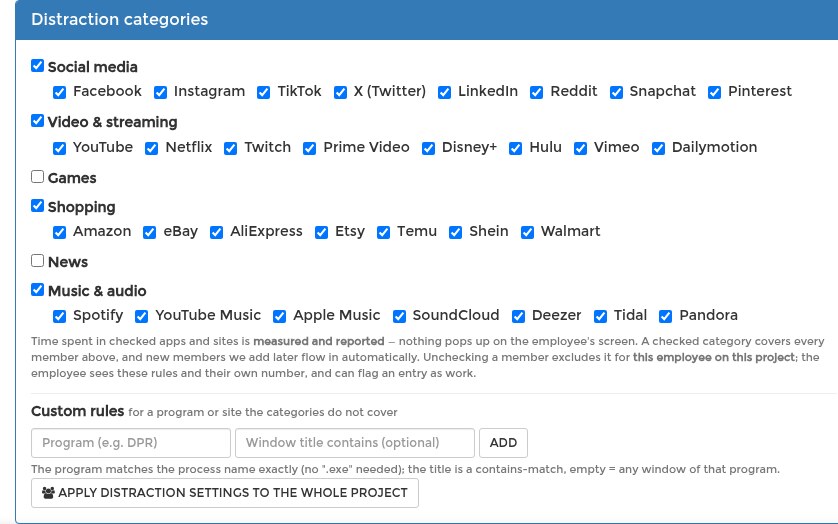
Custom rules: for a program or site the categories do not cover, use the row under the categories: type the program name, optionally a window-title text, and press Add. The program matches the process name exactly (no ".exe" needed); the title is a contains-match; leave it empty to count every window of that program.
One employee or the whole project: the panel edits one employee's assignment. Apply distraction settings to the whole project copies the distraction settings to every worker on the project, including people you assign later.
Press Save Changes. Settings reach the tracking application when the employee next logs in — see When Setting Changes Take Effect.