
Viewing Team Workflow
The old dashboard workflow graph has grown into the Team Overview page — open TEAM in the menu.
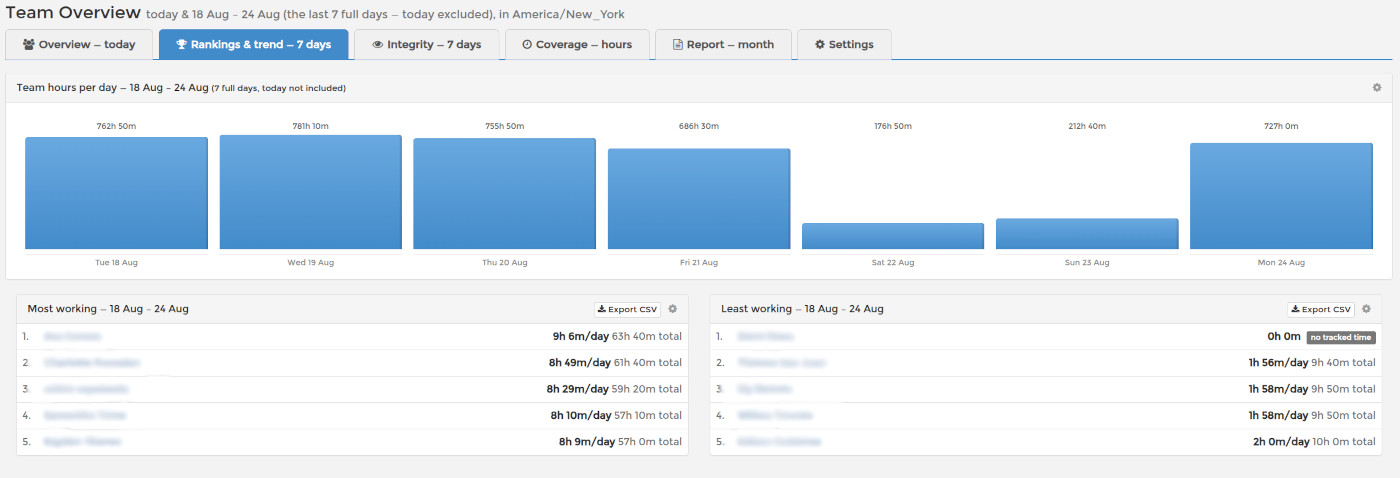
The Rankings & trend tab shows Team hours per day, your team's total tracked time for each of the last 7 complete days, alongside the most and least working employees. The Overview tab shows who is online and tracking right now, and every widget exports to CSV.
For the full tour, see Team Overview: Your Whole Team on One Page and Team Overview: Rankings and the 7-Day Trend.